
Model: T121-USCB
2-Port HDMI KVM Switch for 2 Computers & 1 Monitor
Control two HDMI computers from one monitor, keyboard, and mouse while sharing USB peripherals, audio, and an Ethernet connection.
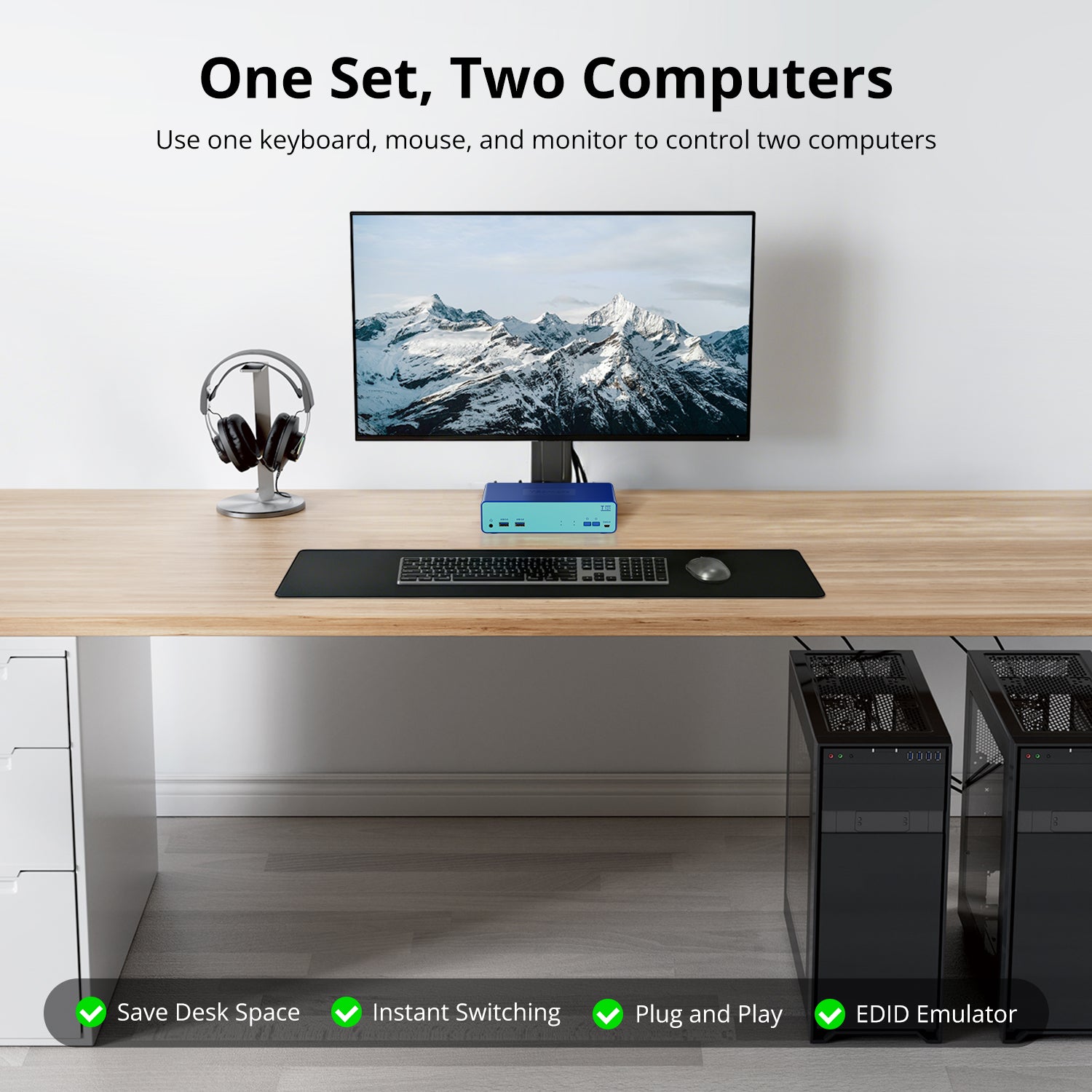
• 2 Computers, One Workstation: Control two HDMI computers from one monitor and one keyboard-and-mouse setup for a cleaner, more efficient workspace.
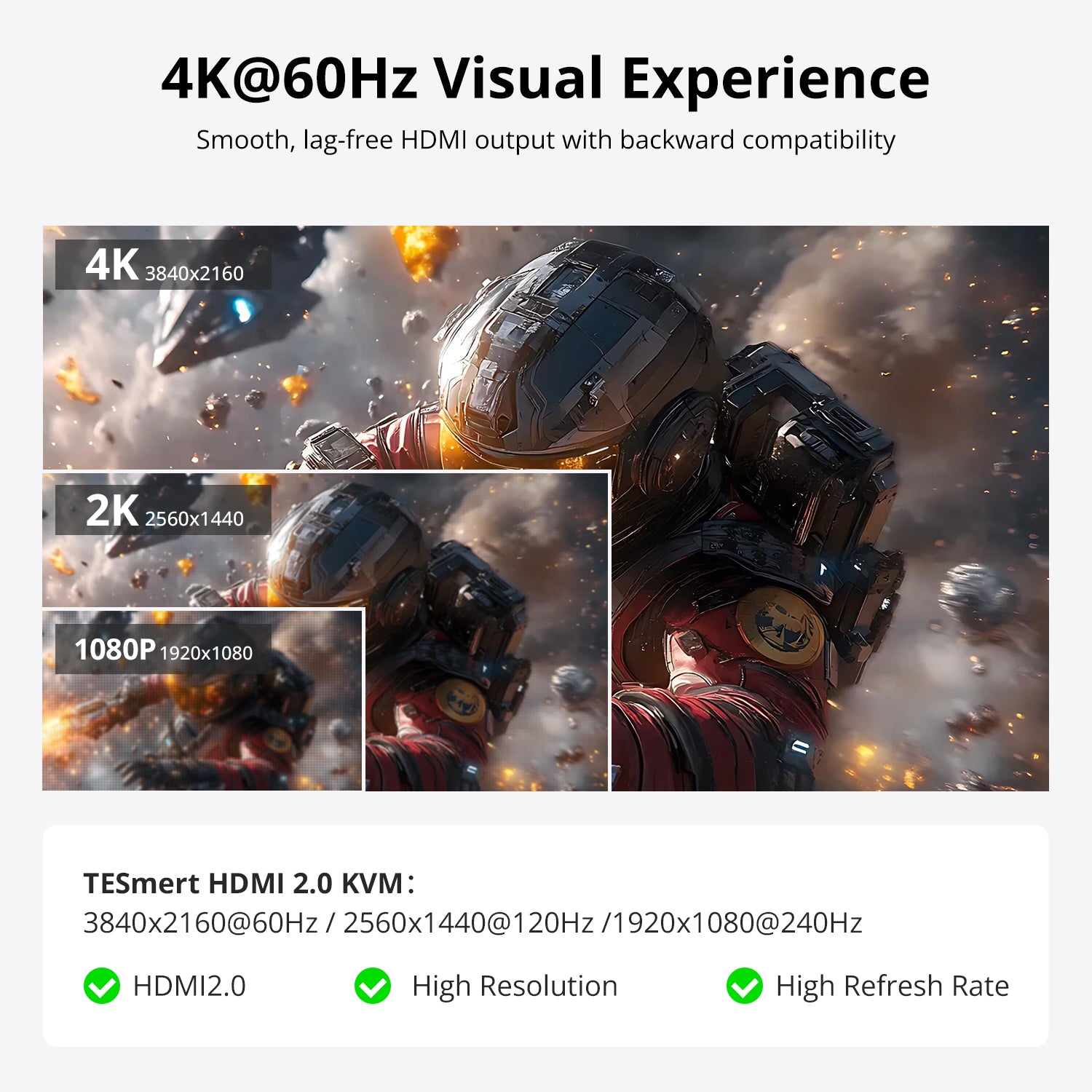
• Up to 4K@60Hz: Supports up to 3840 × 2160 @ 60Hz via HDMI 2.0 for clear, smooth video output.
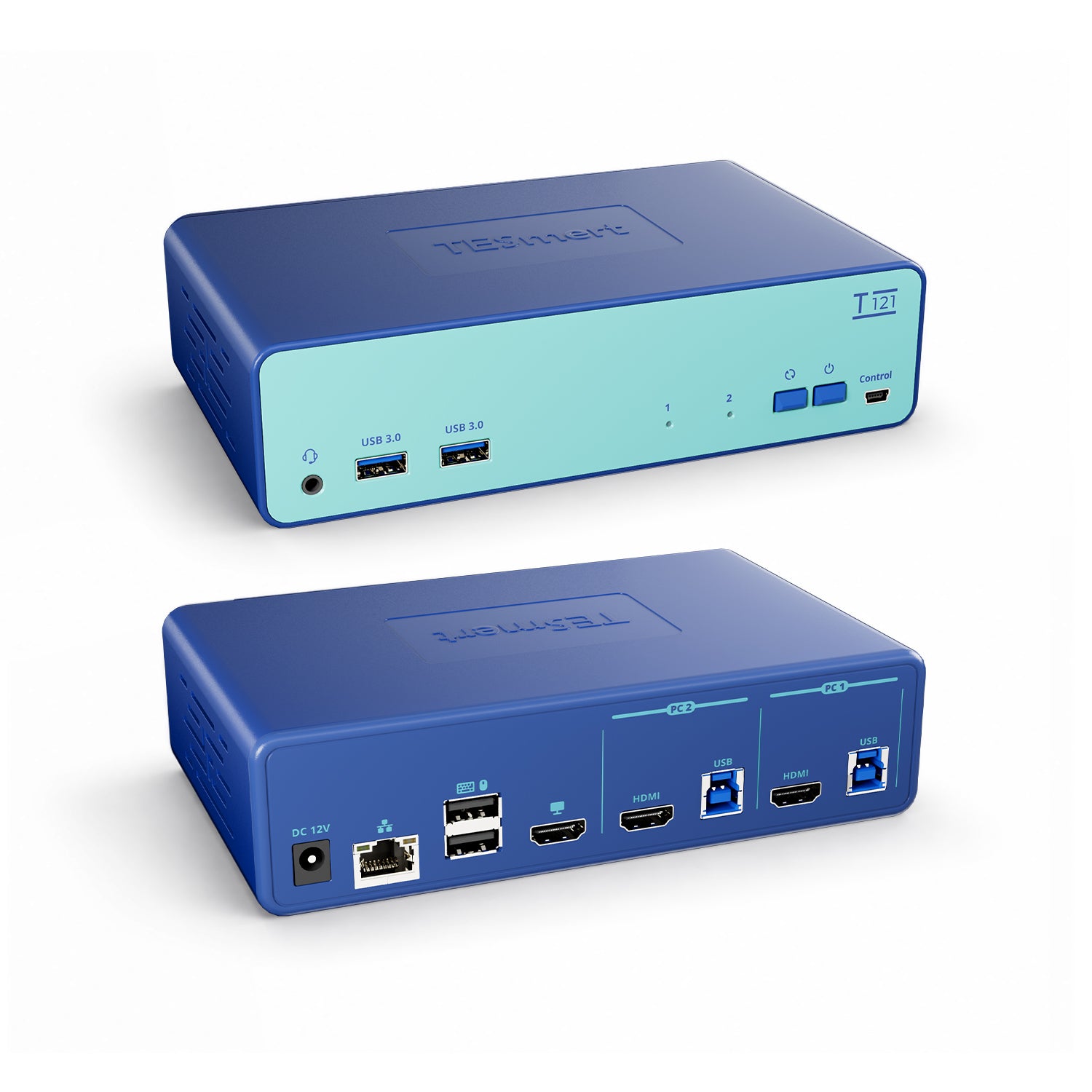
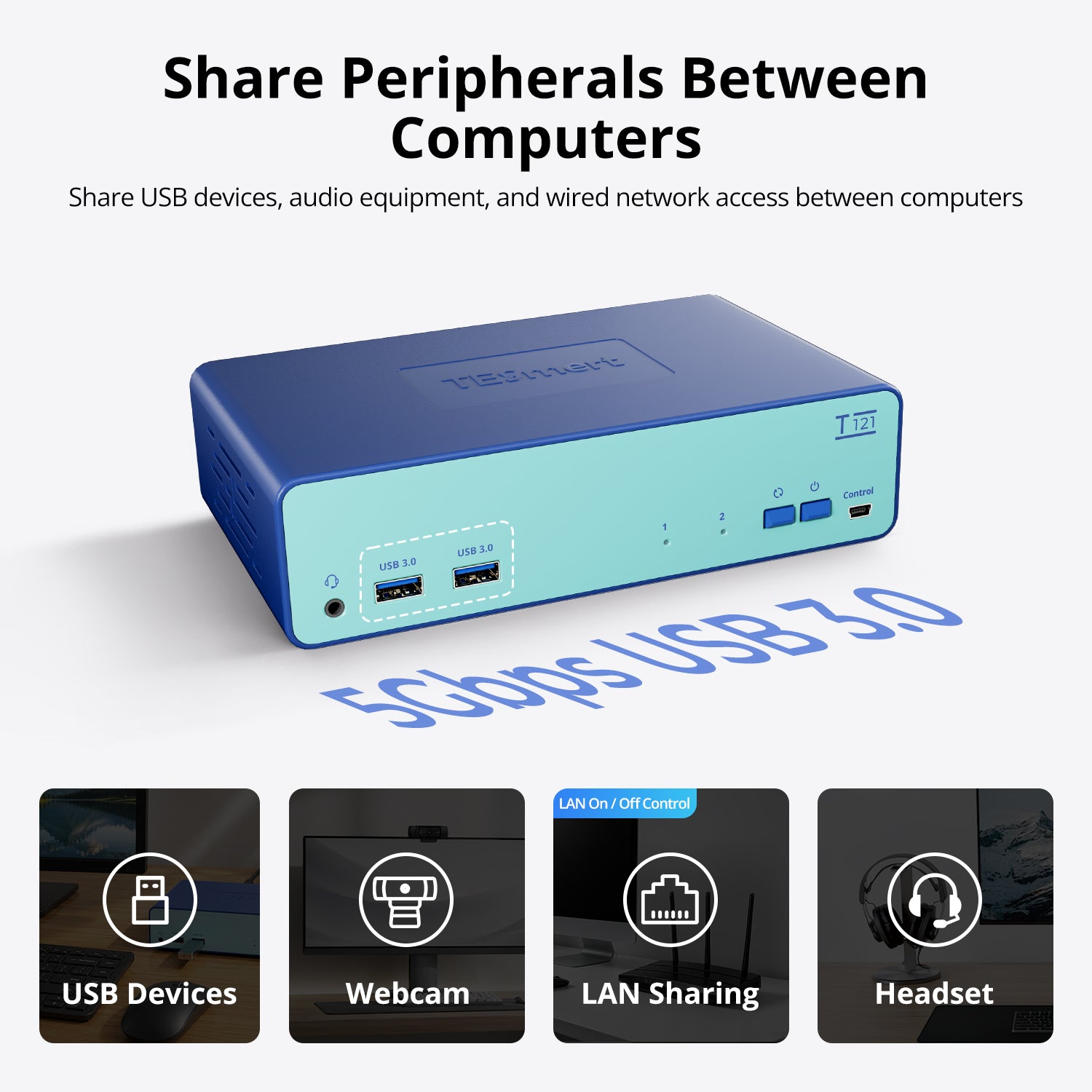
• Shared USB, Audio & Ethernet: Share two USB 3.2 Gen 1 ports, 3.5 mm audio/microphone, and 100Mbps Ethernet between connected computers.
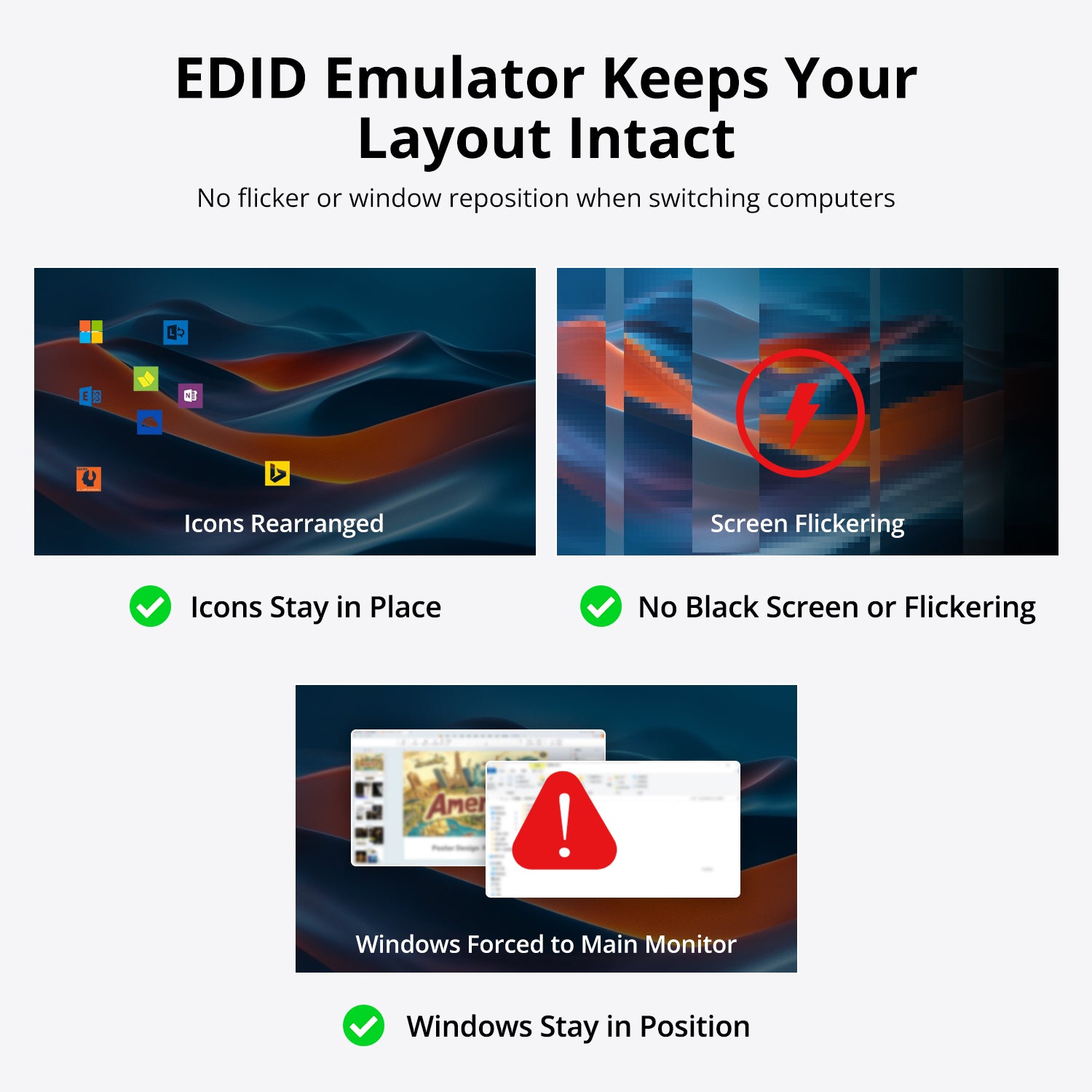
• EDID Emulation: Supports EDID emulation to help maintain reliable display identification and video output.
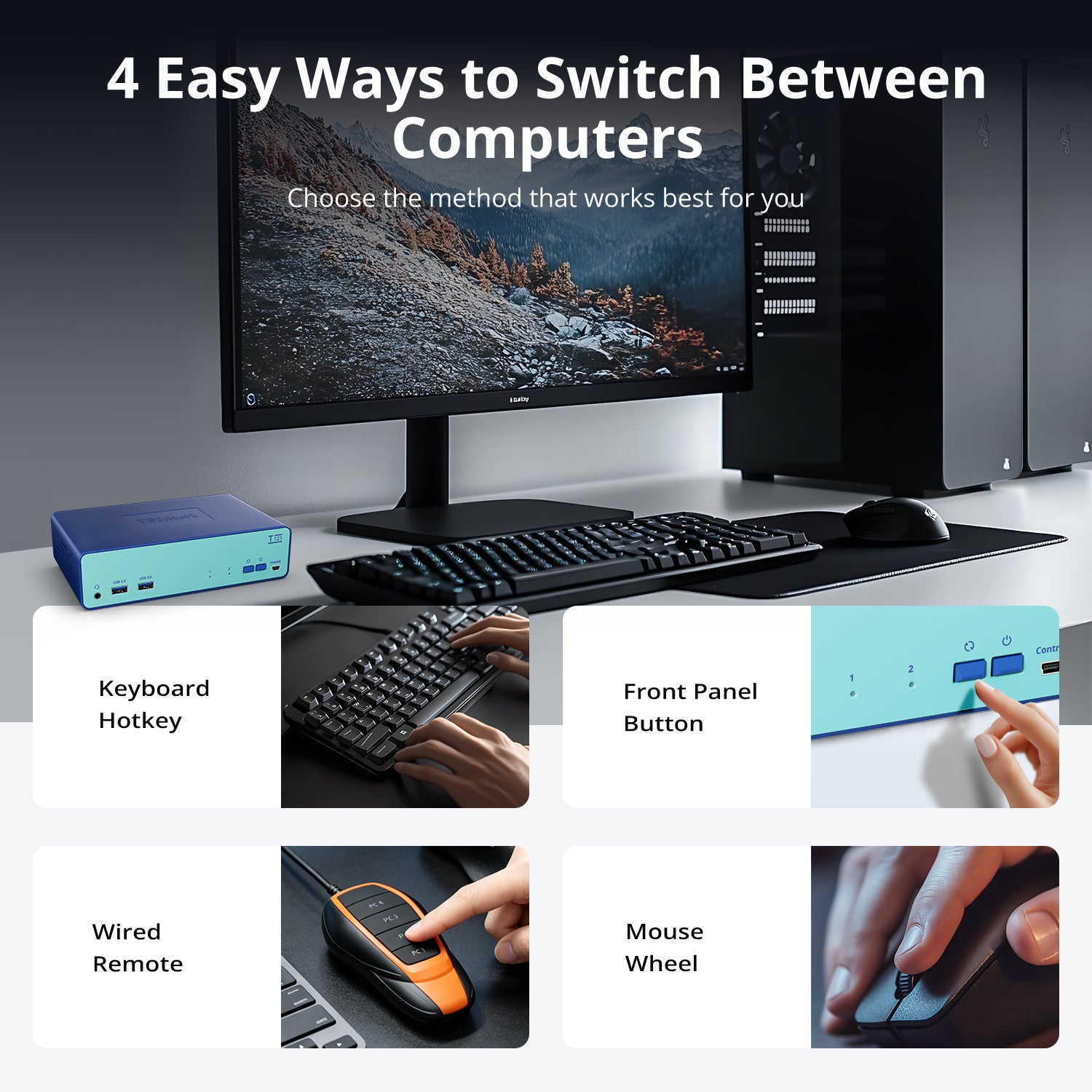
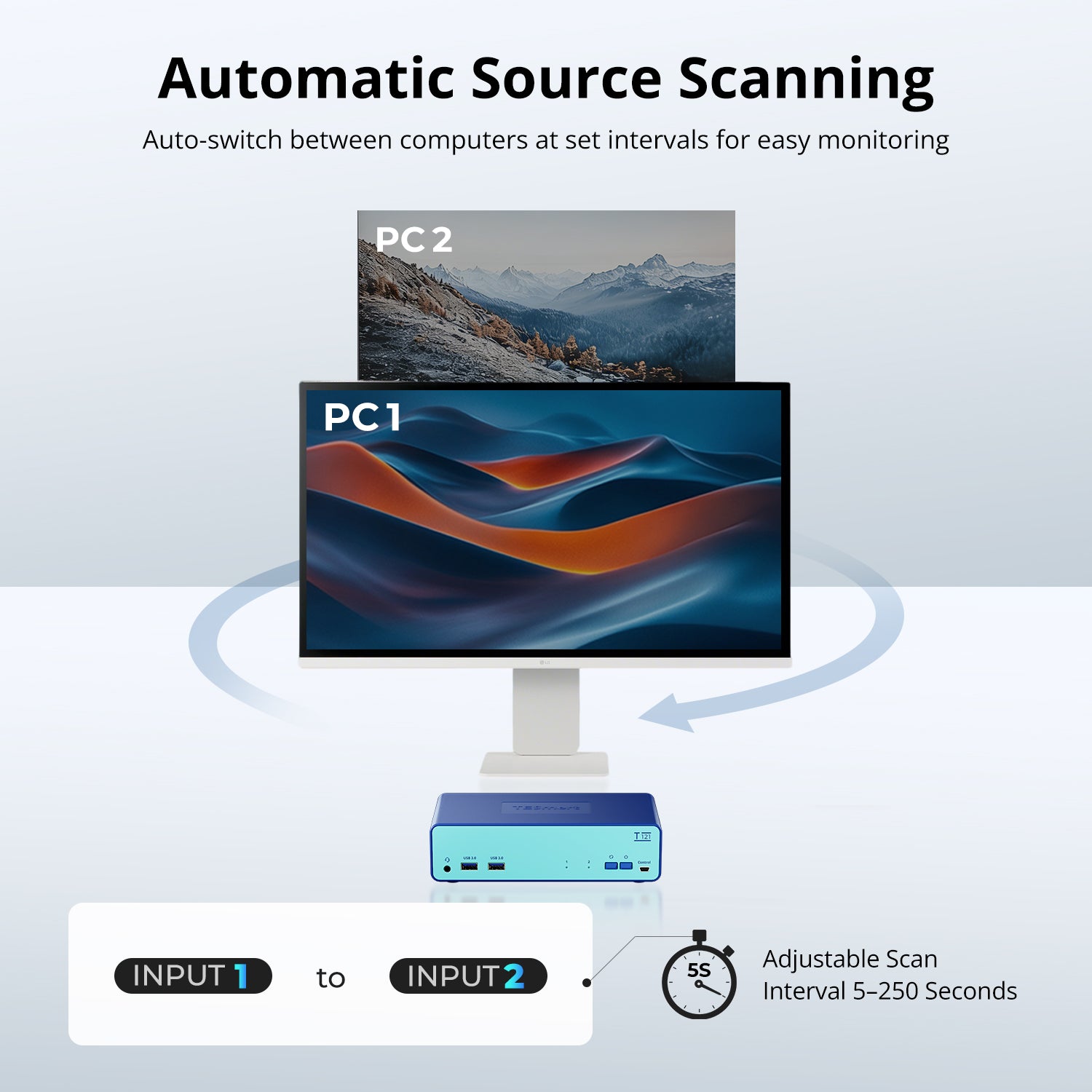
• Flexible Switching & Auto Scan: Switch between computers using the front-panel button, keyboard hotkeys, or mouse-wheel control, with Auto Scan for automatic source cycling.
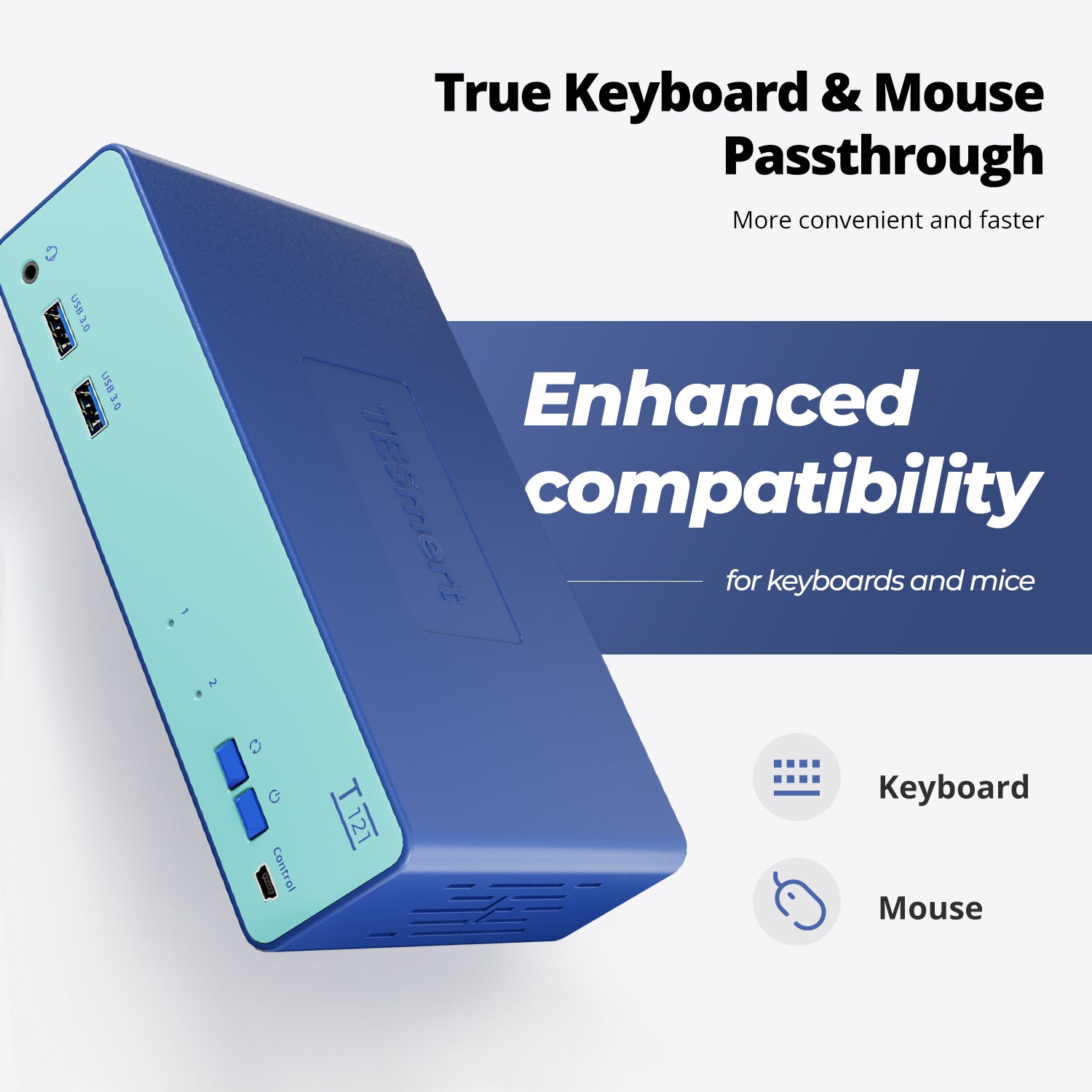
• Keyboard & Mouse Compatibility: Choose Pass-through or Traditional Emulation mode to improve compatibility with different keyboards, mice, and hotkey functions.
*Need a different power specification? Contact us for available options.
Pairs well with
Free US Shipping! Ships within 3-7 business days.
30-Day Hassle-Free Returns & Purchase Guarantee
1-Year Warranty
Secure Payment
2-Port HDMI KVM Switch for 2 Computers & 1 Monitor
If you have any questions, you are always welcome to contact us. We'll get back to you as soon as possible, within 24 hours on weekdays.
-
Free US Shipping · Fast Delivery
Delivery typically arrives in 5–7 business days.
Details are available in our Shipping Policy. -
30-Day Returns · Quality Guaranteed
Returns are accepted within 30 days for peace of mind.
See our Returns & Warranty Policy for details. -
Secure & Trusted Payments
All transactions are protected with industry-standard security.
-
Customer Support
Questions about your order? Feel free to Contact Us.
Overview
Designed for everyday dual-computer workspaces, this 2-in-1-out HDMI KVM switch lets two HDMI computers share one monitor, keyboard, mouse, peripherals, audio, and network access—all from a single workstation.
Perfect for home offices, work-and-personal PC setups, and compact workspaces.
Up to 4K@60Hz Resolution
Enjoy sharp text, clear images, and smooth performance for everyday work. From spreadsheets and web browsing to video meetings and daily tasks, T121 delivers a reliable 4K viewing experience.
Share Peripherals, Audio & Network
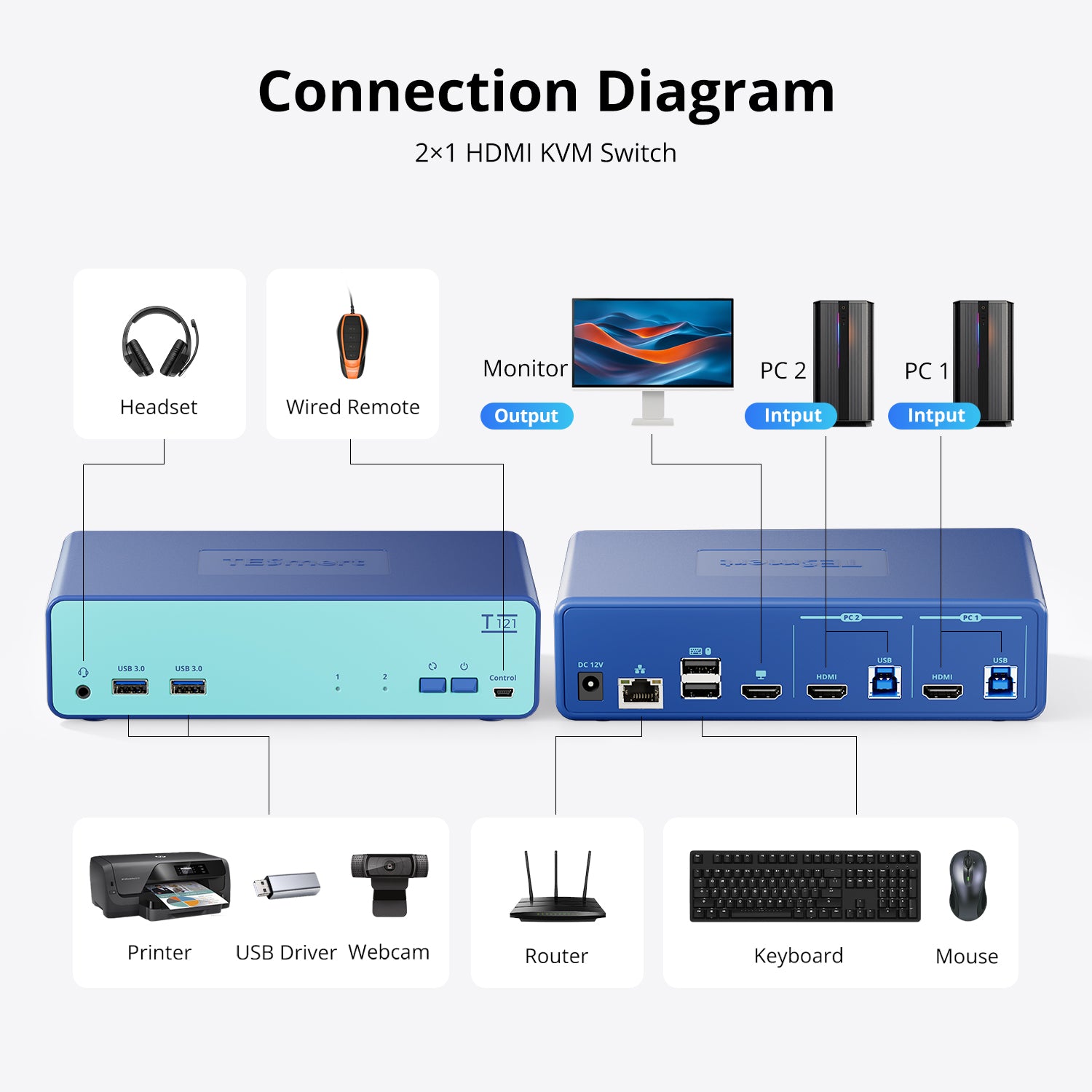
Keep your essential devices connected and ready to use. Share USB 3.0 devices such as flash drives, webcams, and printers, along with audio and network access between two computers.
5 Ways to Switch
Switch computers the way you prefer using the front-panel button, keyboard hotkeys, mouse gestures, Auto Scan mode, or an optional wired remote—no software installation required.
Stable Display Settings
Built-in EDID emulation helps prevent screen flickering, resolution changes, and window rearrangement when switching between computers.
Enhanced Keyboard & Mouse Compatibility
Use your preferred wired or wireless keyboard and mouse with fewer compatibility concerns when switching between computers.


Technical Details
Specifications
Connections
Computer Inputs : 2 × (HDMI + USB-B)
Output: 1 × HDMI
Shared Connections
2 × USB 3.2 Gen 1 Ports (5Gbps)
2 × Dedicated USB Ports for Keyboard and Mouse
1 × 3.5mm Audio/Mic Combo Jack
1 × 100Mbps Ethernet Port
Control
Wired Remote Port
Display Support
3840×2160 @ 60Hz
2560×1440 @ 120Hz
1920×1080 @ 240Hz
System Compatibility
Windows, macOS, Linux (including Ubuntu, Debian, and Fedora), and Raspberry Pi OS.
Other Features
Plug and Play
Customizable Hotkeys
Power
DC 12V Power Adapter
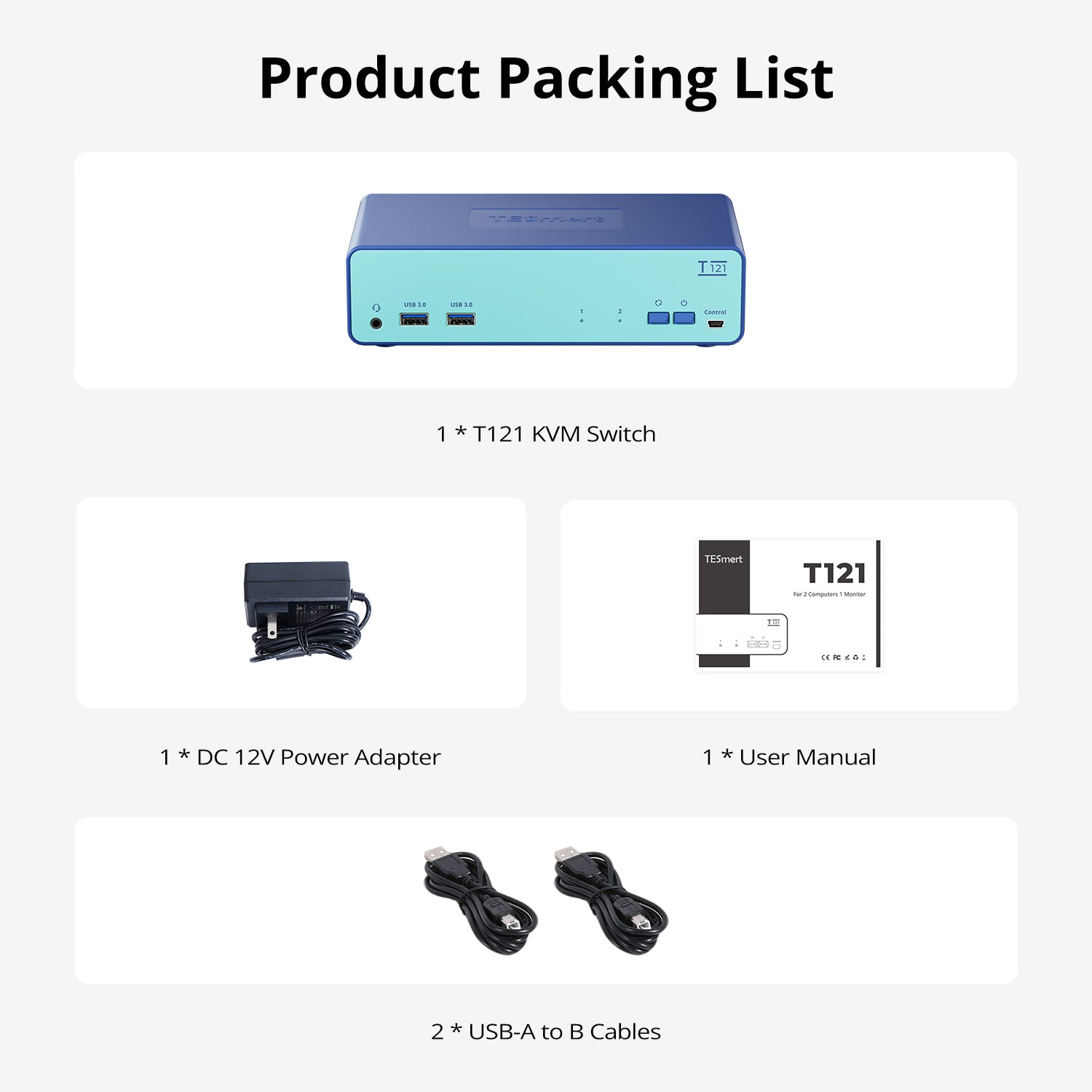
Included in the Box

T121 KVM Switch

2 * USB-A to B Cables

DC 12V Power Adapter

User Manual


Customers said this switch "does the most important thing a switch should do: preserve your desktop settings." It enables fast switching between two computers sharing one monitor, keyboard, and mouse. Shoppers praised the EDID emulation, 4K picture quality, USB 3.0 speed, and cable management. The blue finish received positive feedback. Setup is simple with included cables.
This switch does the most important thing a switch should do: preserve your desktop settings and let you easily switch between two systems.
Here's what stands out to me:
✅ #1 most important: EDID desktop emulation keeps your desktop arrangement live when jumping between systems.
✅ Multiple switching methods; button, keyboard shortcut, and remote port option all work well.
✅ Transitions are fast no matter which switching method you use.
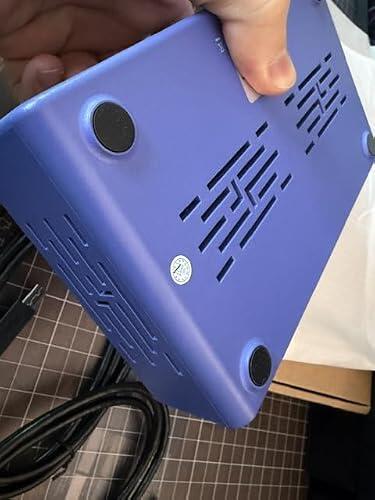
✅ Unit feels very stable; it has good weight and rubberized feet so it doesn't slide around, even with several cables pulling on it.
✅ Love the RJ45 network port; a great space saver for splitting your network cable needs.
✅ Audio port is handy for analogue setups.
☑️ Manual isn't the greatest for anyone new to KVM setups.
☑️ Remote port is great but no remote is included in the box.
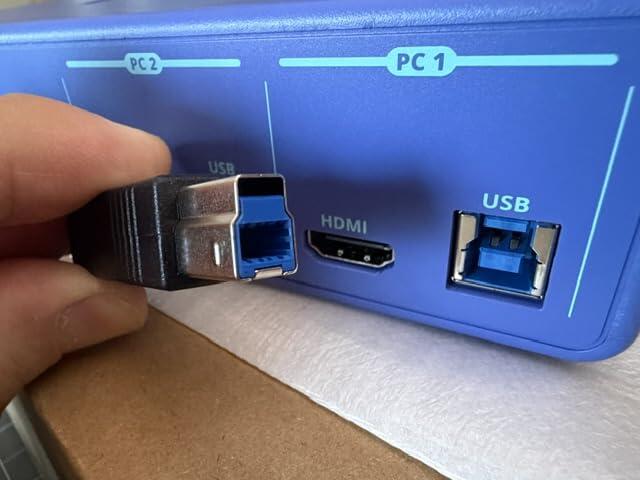
☑️ I'm not exactly sure about these special combined cables. They work great but are they proprietary? If so, they may be diffictult to replace during a fault.
✅ Cable management friendly overall with combined USB and HDMI cabling; helped clean up my desk a lot.
I'm really enjoying this switch so far but if there are any changes in its quality or my opinion, I'll be sure to report back in. 🤞 I hope you found my notes, pictures useful. Be well! ❤️🔥
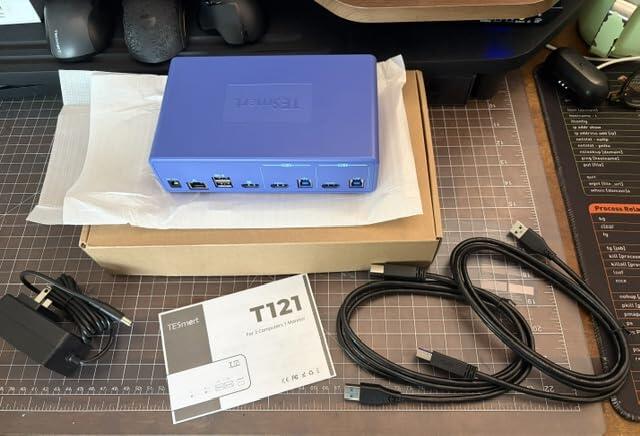
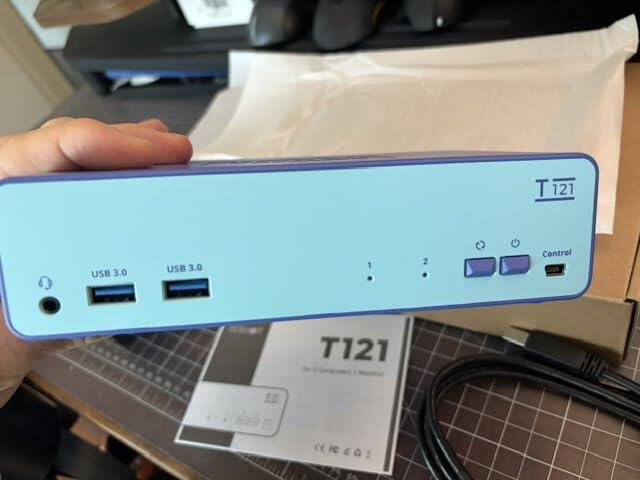
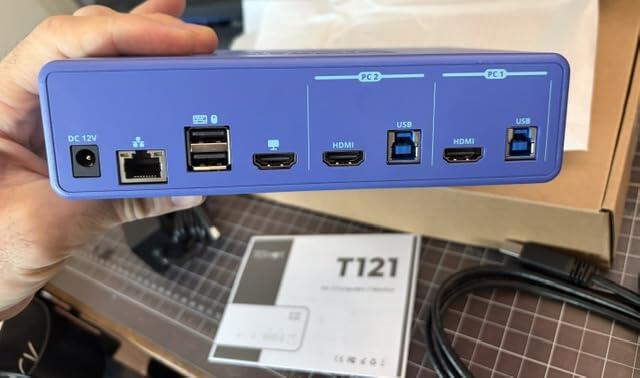
This KVM switch is used to run two PCs to a shared monitor, but that's not all. It also works as an ethernet splitter.
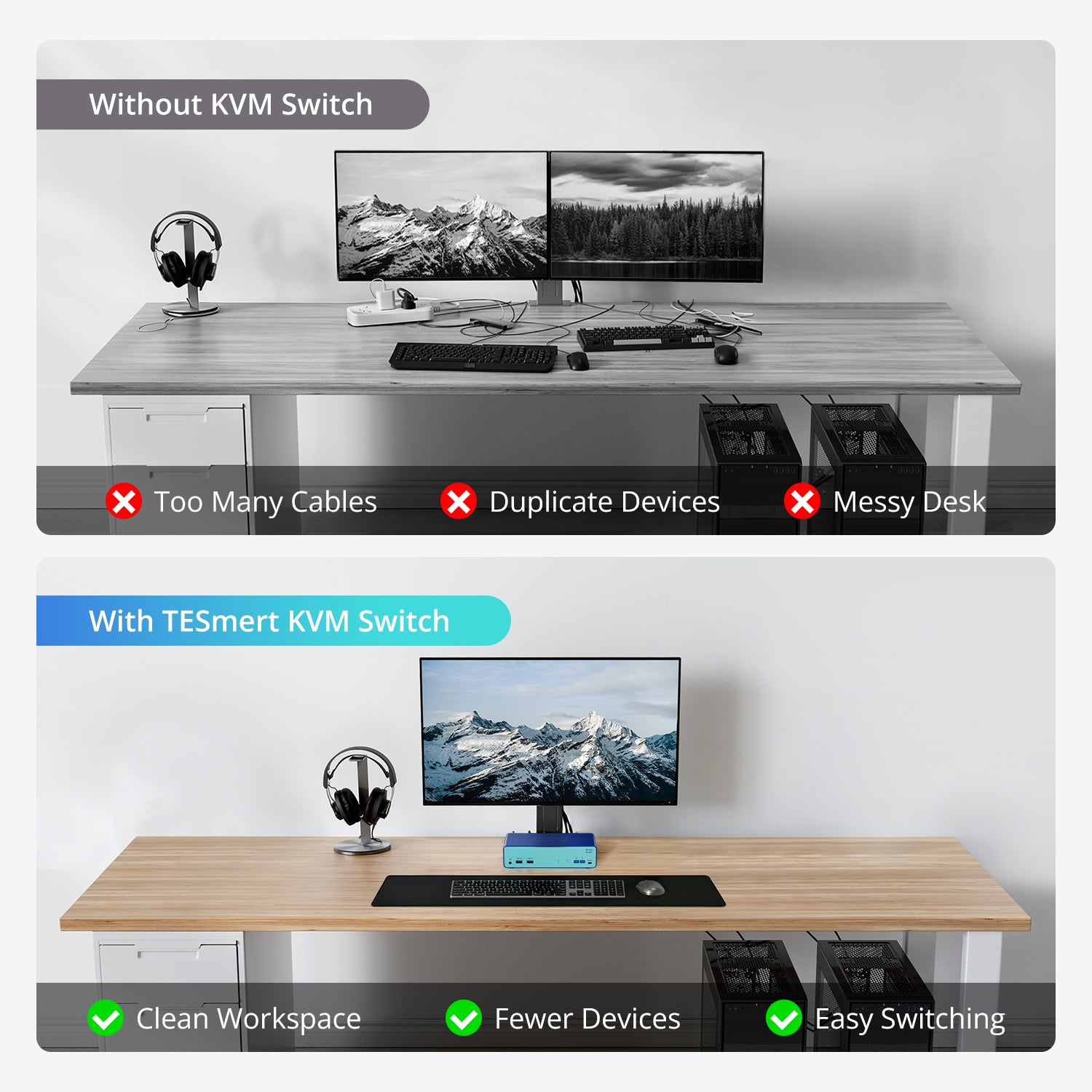
This KVM switch helps minimize the tangled mess of cables by eliminating the spitter (it's buggy anyway), the extra keyboard and mouse, and the USB hub (I will likely still use the hub for various accessories). I was going to try an HDMI splitter intended for TV to share my large primary monitor between the two PCs, but this is better. This way I can easily use my new really big monitor for both, while avoiding inevitable multiple keyboard and mouse confusion
The KVM switch has a plastic case (seems like ABS). The device is very lightweight, but the rubber feet keep it well planted on the desktop. Built quality is fine (note that I have not opened it up to inspect inside).
The on/off switch and PC1/PC2 switch are on the front panel and are quite intuitive. There's also a headphone jack, two USB-A accessory jacks, and a UART control port for advanced control devices for external hardware such as micro controllers. I haven't done anything with that feature yet.
Overall build quality is very good, and the box doesn't get hot. All the ports are well-mounted and sturdy. The purple color of the case is an interesting design choice that's OK with me. Finally, it's not glitchy, which is very nice.
Give this a shot if you want to share a mouse, keyboard, and monitor between 2 PCs. It's a neat way to do that.
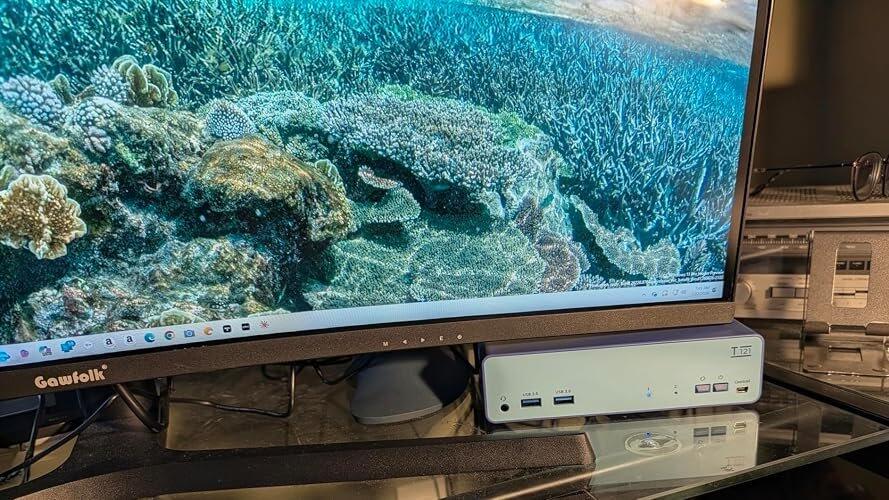
I bought this to switch between my work laptop and desktop, and it's been working flawlessly. Switching is quick, the video stays stable, and the USB 3.0 ports are noticeably faster when I connect an external SSD. Setup was simple since all the required cables were included. The plastic housing is lightweight but feels well put together, and everything has been reliable so far. For the price, this is easily one of the best HDMI KVM switches I've used.
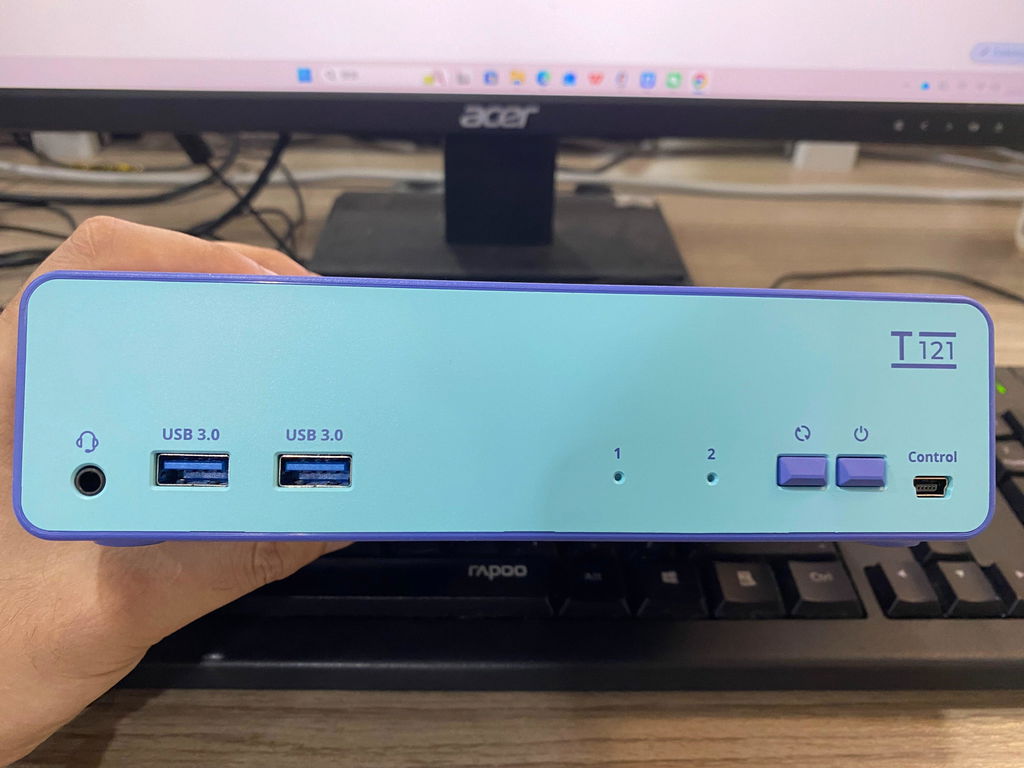
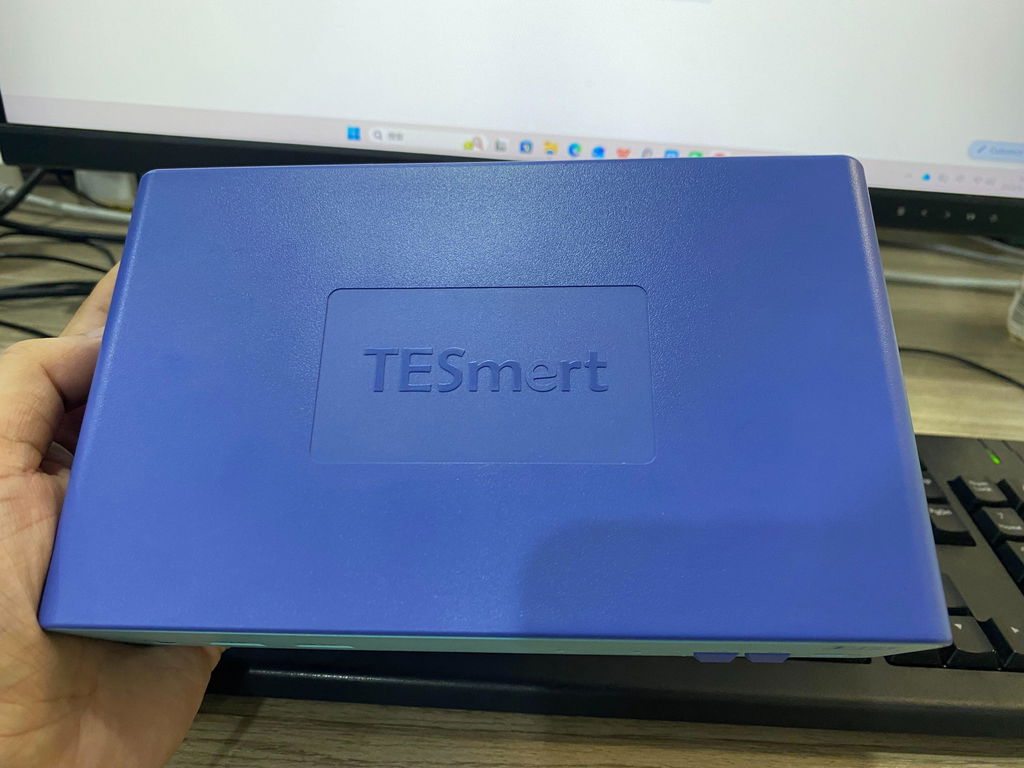
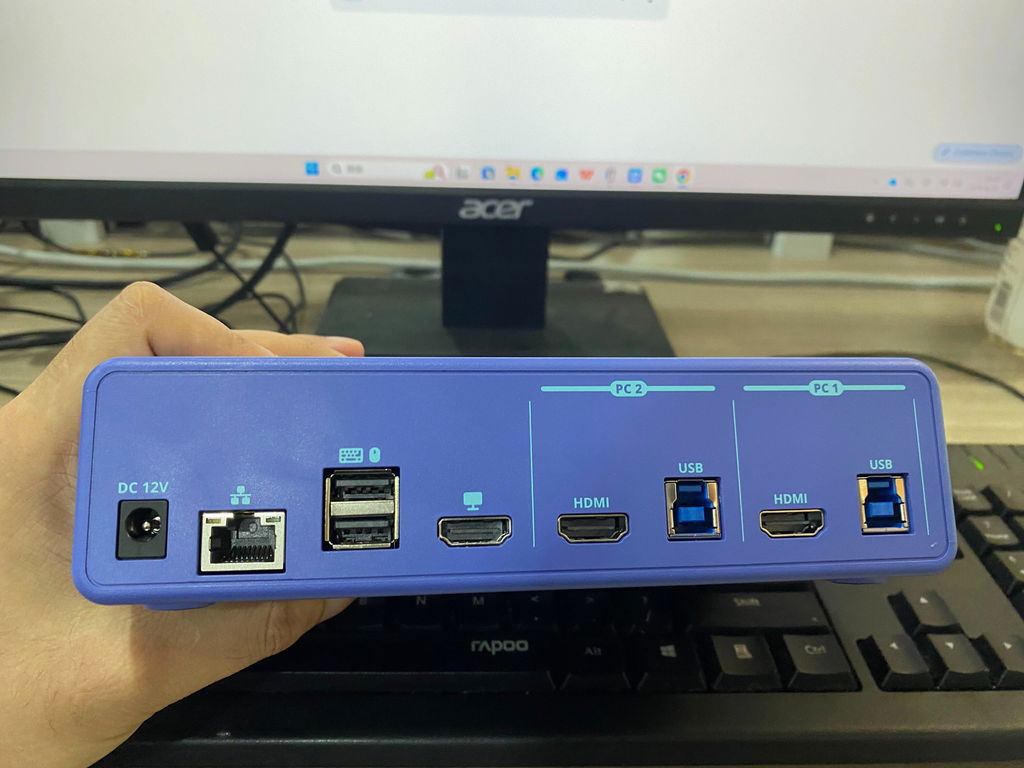
I set this KVM switch up with two computers sharing one monitor, keyboard and mouse and it cleaned up my desk more than I expected. Once everything was connected correctly, switching between the two systems was quick and stable. The front button is simple to use, and the hotkey option is handy when I do not want to reach across the desk. Picture quality looked sharp at 4K, and the display stayed properly recognized when moving back and forth between computers. I also like having extra usb-a ports for shared accessories, plus the network and audio connections make this more useful than a basic switch. The plastic case is lightweight, but the ports feel secure and the rubber feet keep it from sliding around. Setup takes some patience because each computer needs both HDMI and USB connections. This is best for someone running two desktop computers or mini PCs from one main workspace. It is a good value for the number of connections and switching options included.
Honestly, this feels like a much more expensive KVM. Setup was easy, and switching between my work PC and personal desktop is smooth every time. I also love the blue finish—it gives my desk a cleaner, more modern look. Amazing value for the money.
Really impressed with the quality for the price. The USB 3.0 ports are fast enough for my external SSD, and the included cables saved me from buying anything extra. It feels well made, and the blue design is a nice change from the boring black boxes everyone else sells.
This cleaned up my desk instantly. One keyboard, one mouse, one monitor for both of my PCs, and I don't have to swap cables anymore. The hotkeys work great, switching is fast, and the picture comes back without any flickering. Super happy with this purchase.
I wasn't expecting to like this as much as I do. The blue finish looks way better in person than the typical black or silver KVMs, and it actually looks good sitting on my desk. Setup took maybe 10 minutes, switching is quick, and everything just works. Definitely one of the best values I've found under $100.
Product comparison
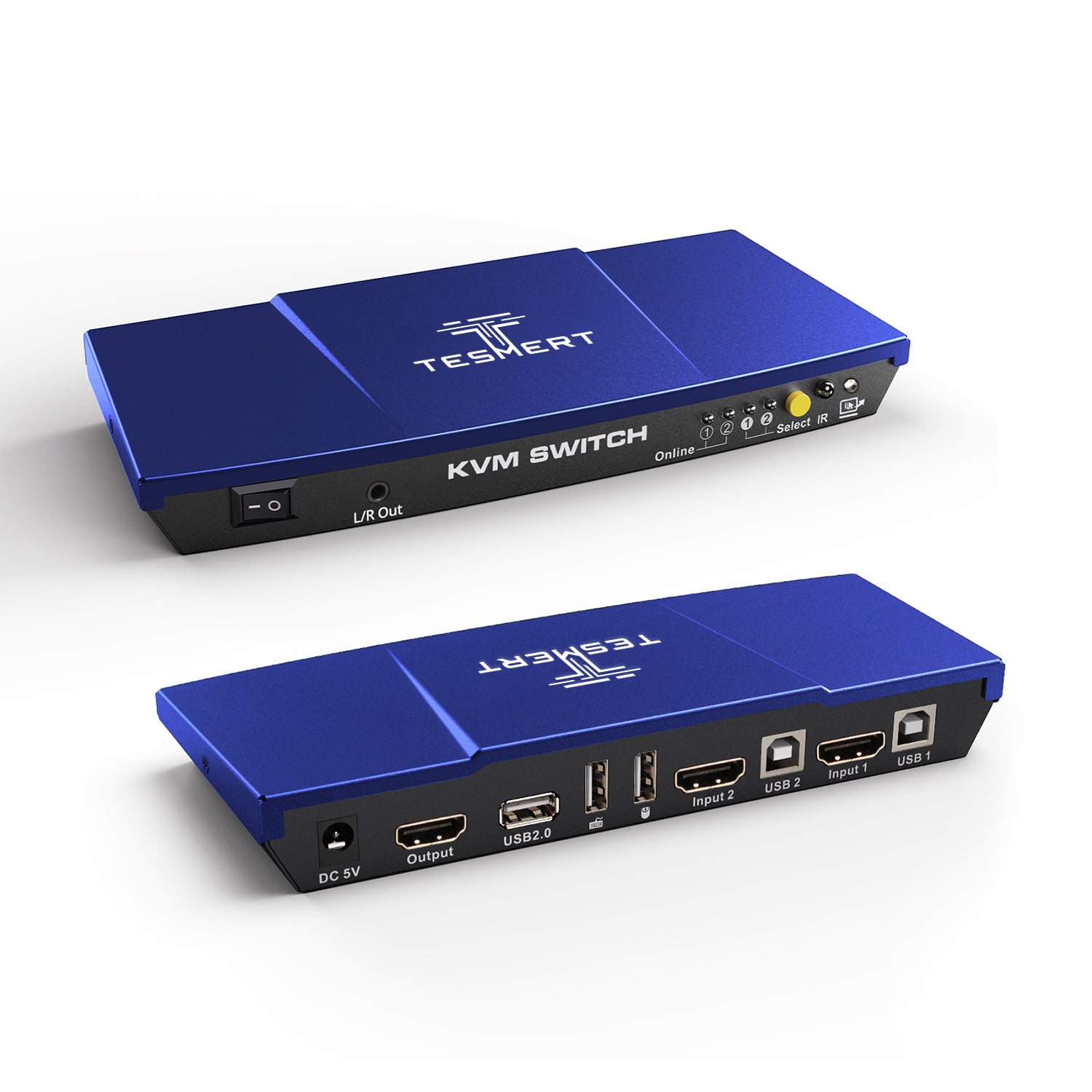
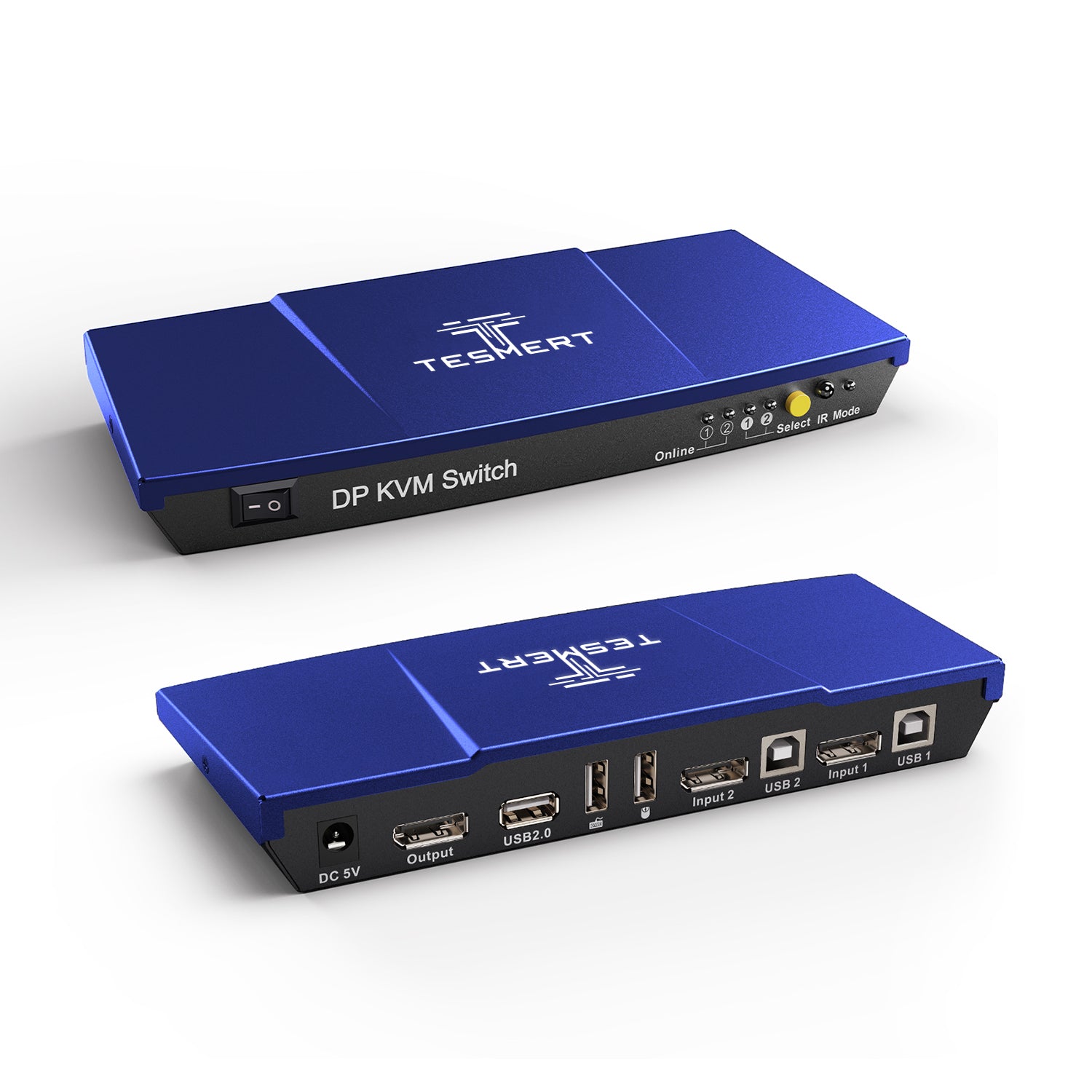
Amount of Computers
2
Amount of Computers
2
Amount of Computers
2
Amount of Monitors
1
Amount of Monitors
1
Amount of Monitors
1
Video Type
HDMI 2.0
Video Type
HDMI 2.0
Video Type
DisplayPort 1.2
Max Resolution
4K60Hz
Max Resolution
4K60Hz
Max Resolution
4K60Hz
EDID Emulation
Yes
EDID Emulation
YES
EDID Emulation
NO
Special Features
- USB3.0 Sharing Port * 2
- 3.5mm Audio/Mic Combo Jack
- 100Mbps Ethernet Port
- Hot Plug
- Passthrough Mode
Special Features
- USB-A 2.0 Sharing Port * 1
- Hot Plug
- Passthrough Mode
- L/R Out
Special Features
- USB-A 2.0 Sharing Port * 1
- Hot Plug
- Passthrough Mode
Does T121 support 4K monitors?
Yes. T121 supports resolutions up to 3840×2160 at 60Hz and is also compatible with lower resolutions.
Can I use one keyboard and mouse with two computers?
Yes. T121 allows two computers to share a single monitor, keyboard, and mouse, making it easy to switch between systems from one workstation.
What devices can I connect to the USB 3.0 ports?
The USB 3.0 ports support a variety of peripherals, including USB flash drives, printers, webcams, headsets, and other USB devices.
Can I share audio between two computers?
Yes. T121 supports sharing audio through the built-in 3.5mm Audio/Mic Combo Jack and compatible USB audio devices connected to the USB 3.0 ports.
Does the Ethernet port switch with the selected computer?
Yes. The LAN connection follows the active computer, allowing both systems to share a wired network connection.
How can I switch between computers?
You can switch using the front-panel button, keyboard hotkeys, mouse gestures, or Auto Scan mode. An optional wired remote is also available separately.
Can I change the default hotkey?
Yes. T121 uses Right Ctrl as the default hotkey and allows users to customize hotkey combinations to fit their preferences.
Will my display settings stay the same when switching?
T121 uses EDID emulation to help prevent screen flickering, resolution changes, and window rearrangement during switching.
Does T121 work with Windows, macOS, and Linux?
Yes. T121 supports Windows, macOS, Linux, Raspberry Pi OS, and other Linux-based operating systems.
Do I need to install any software?
No. T121 is plug and play and does not require drivers or software installation.