
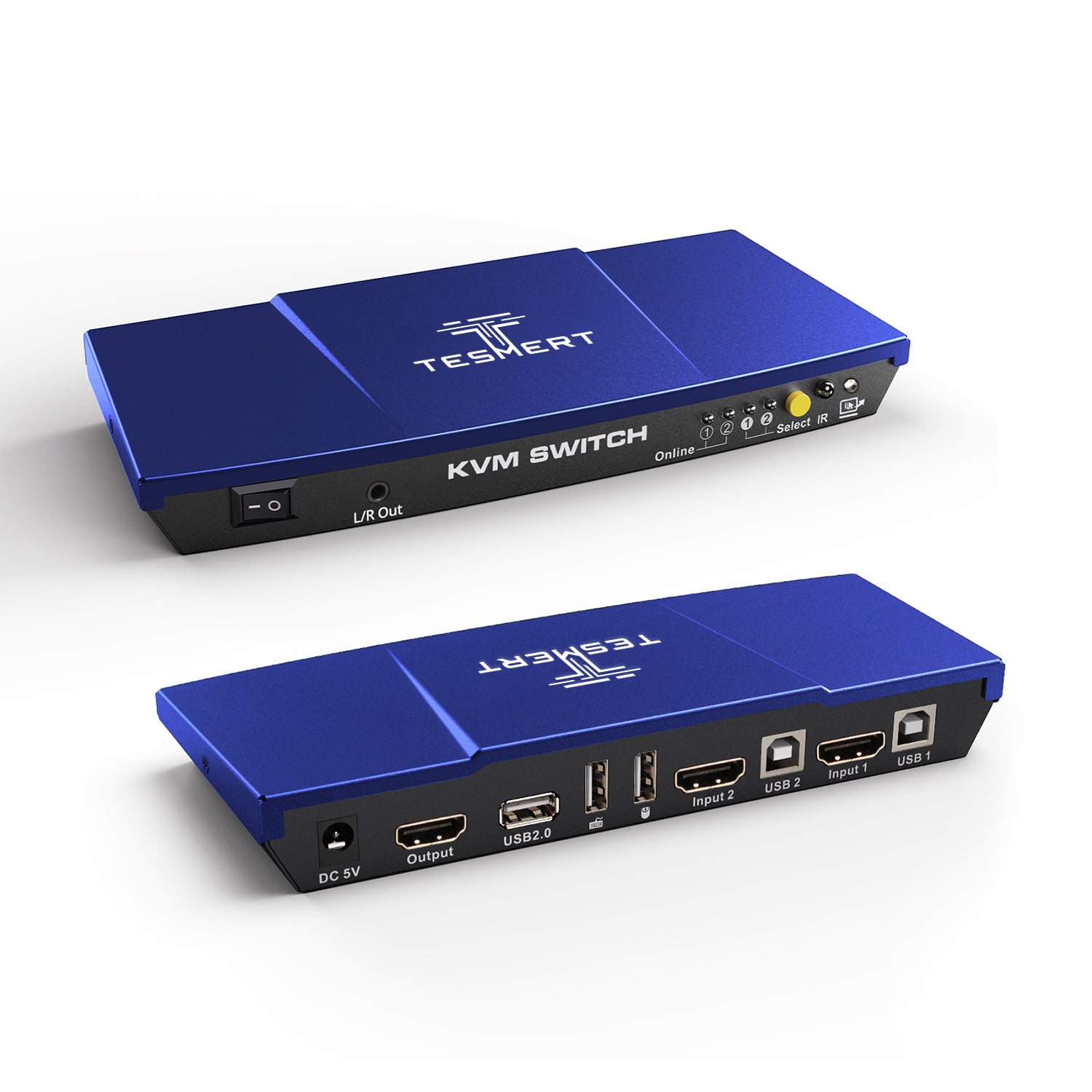

Model: T1210-USRB
2-Port HDMI KVM Switch for 2 Computers & 1 Monitor
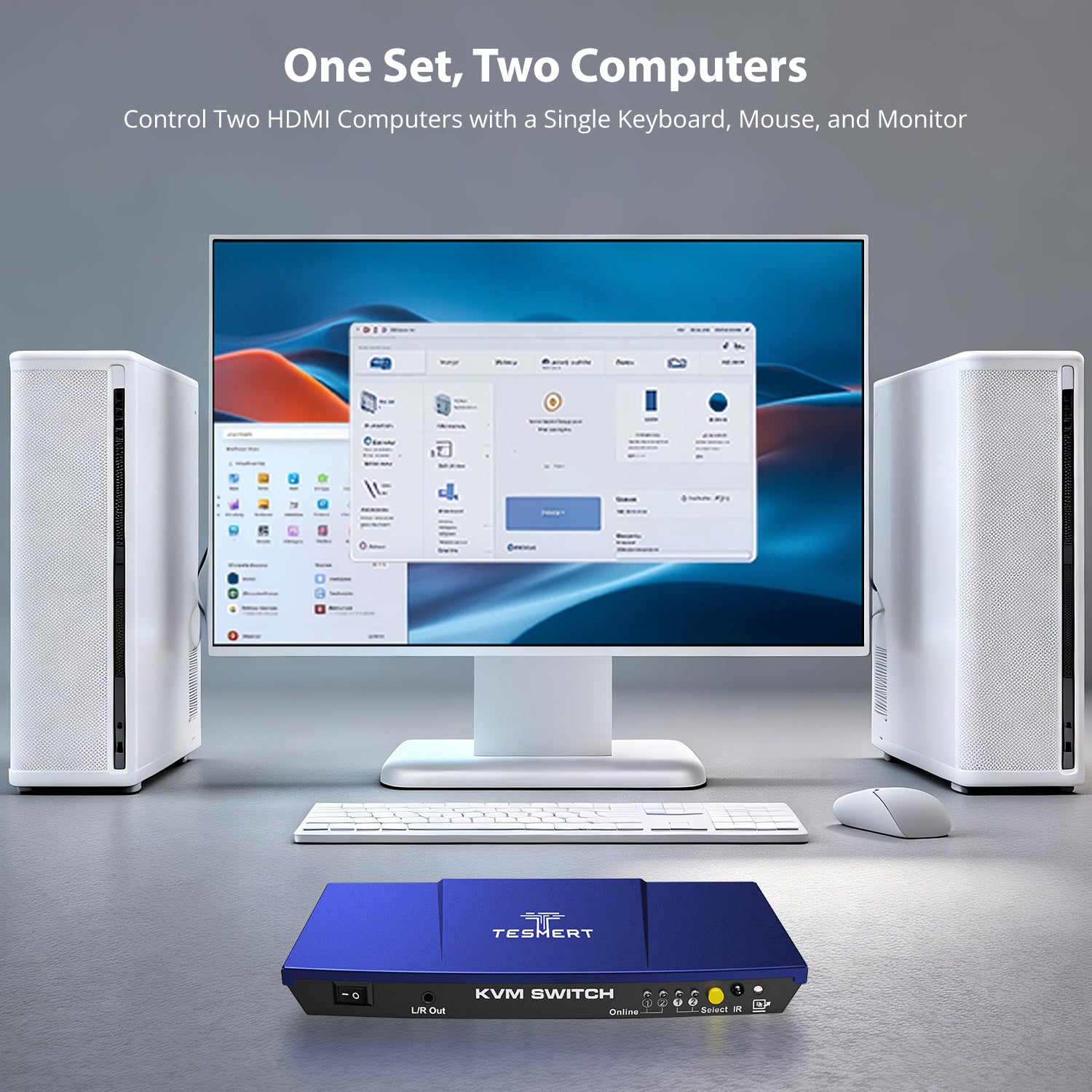
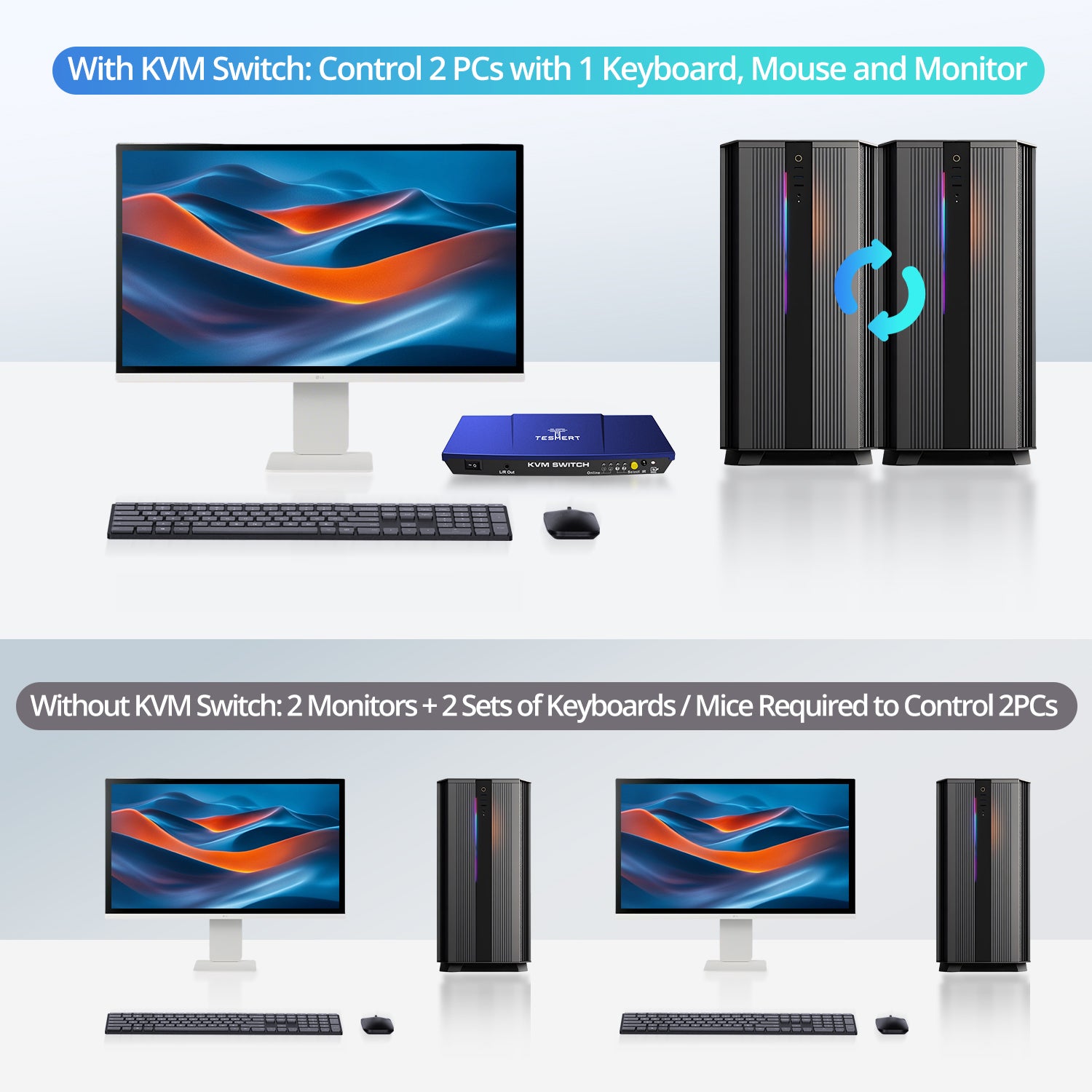
Control two HDMI computers from one monitor, keyboard, and mouse while sharing USB peripherals and analog L/R audio.
• 2 Computers, One Workstation: Control two HDMI computers from one monitor and one keyboard-and-mouse setup for simpler multi-PC management.
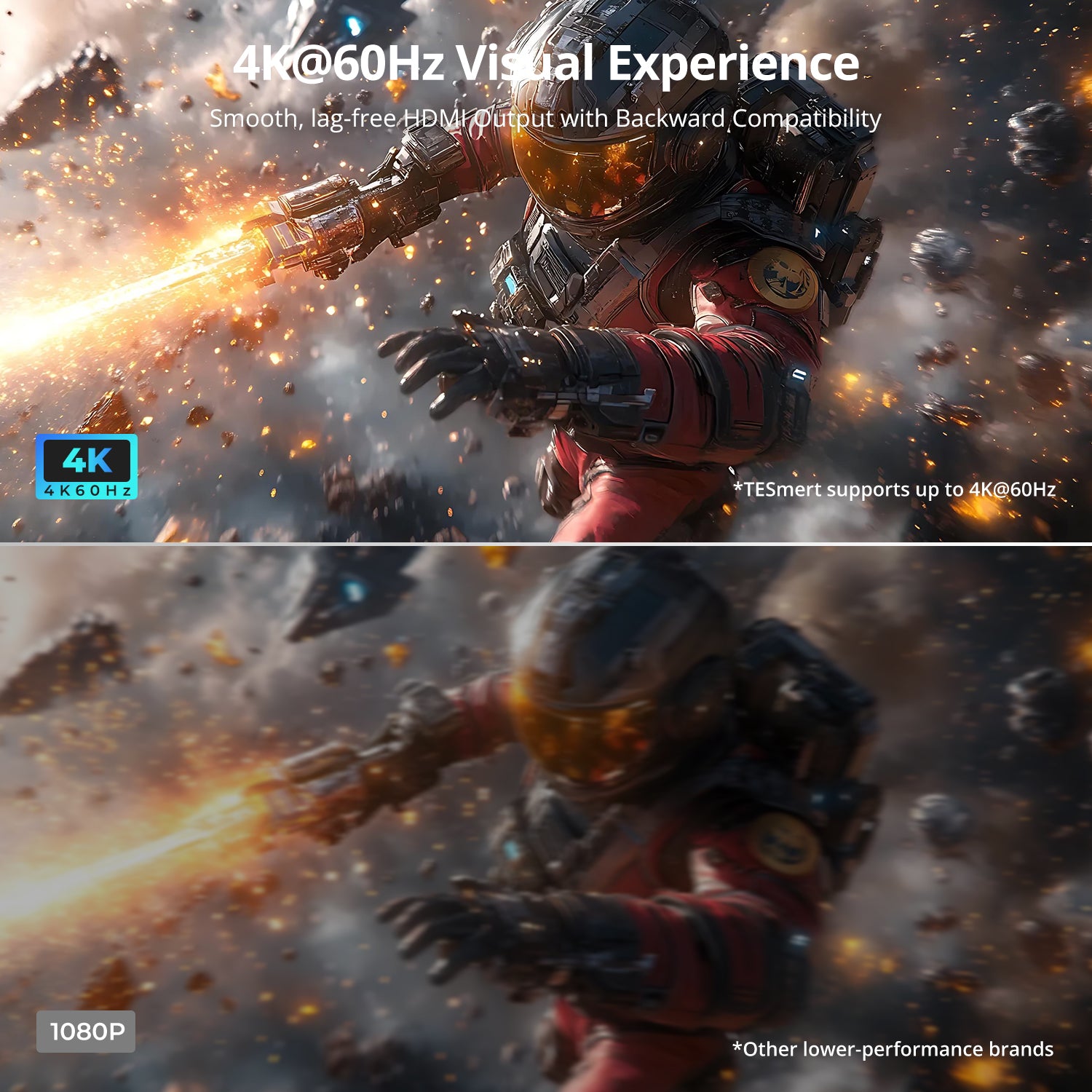
• Up to 4K@60Hz 4:4:4: Supports up to 3840 × 2160 @ 60Hz with 4:4:4 color output for clear, detailed visuals.
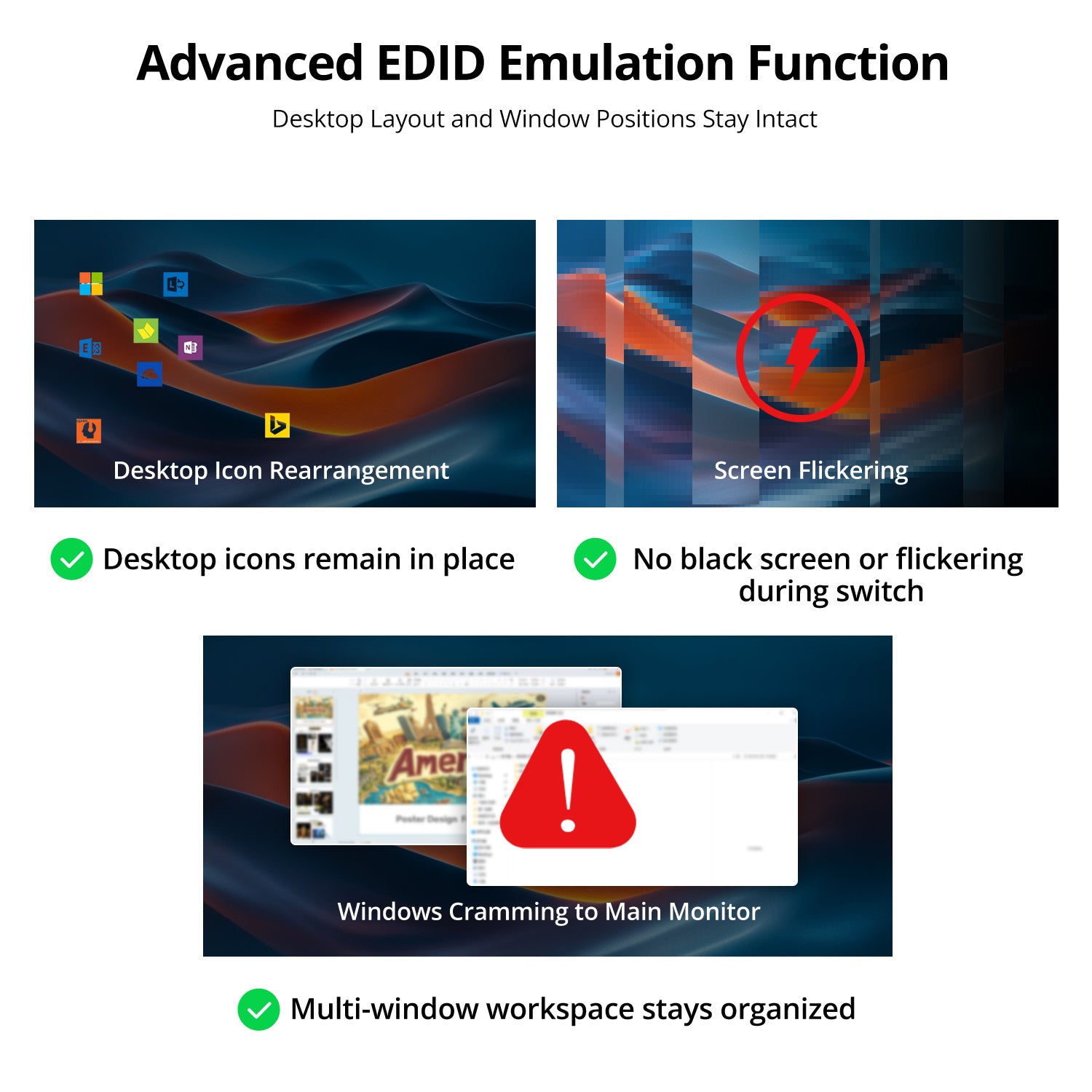
• EDID Emulation: Built-in EDID emulators help maintain the display connection for each computer when switching, reducing display re-detection and helping keep windows in their original positions.
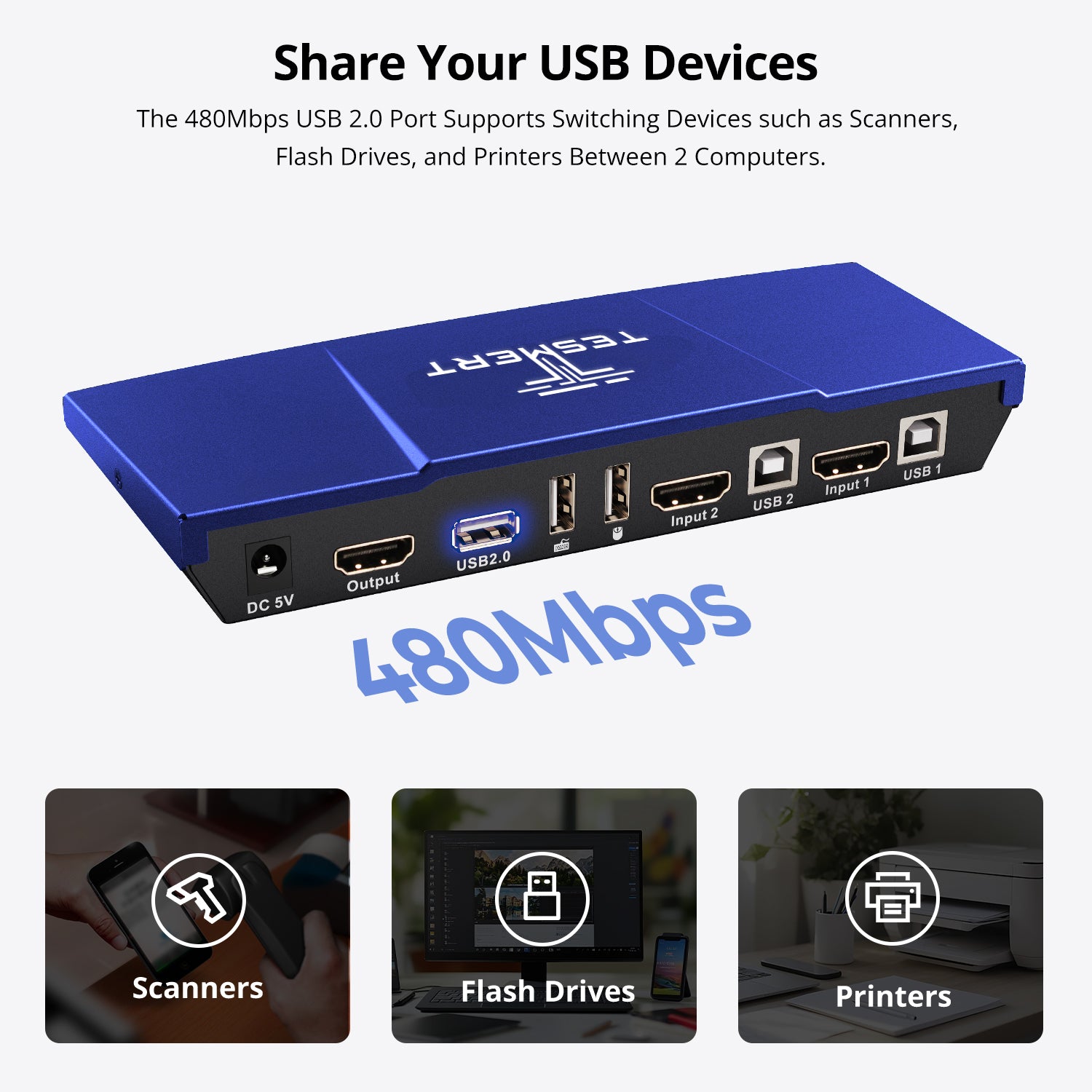
• Shared USB & Audio: Share USB 2.0 peripherals such as USB drives, printers, and barcode scanners, with analog L/R audio output.
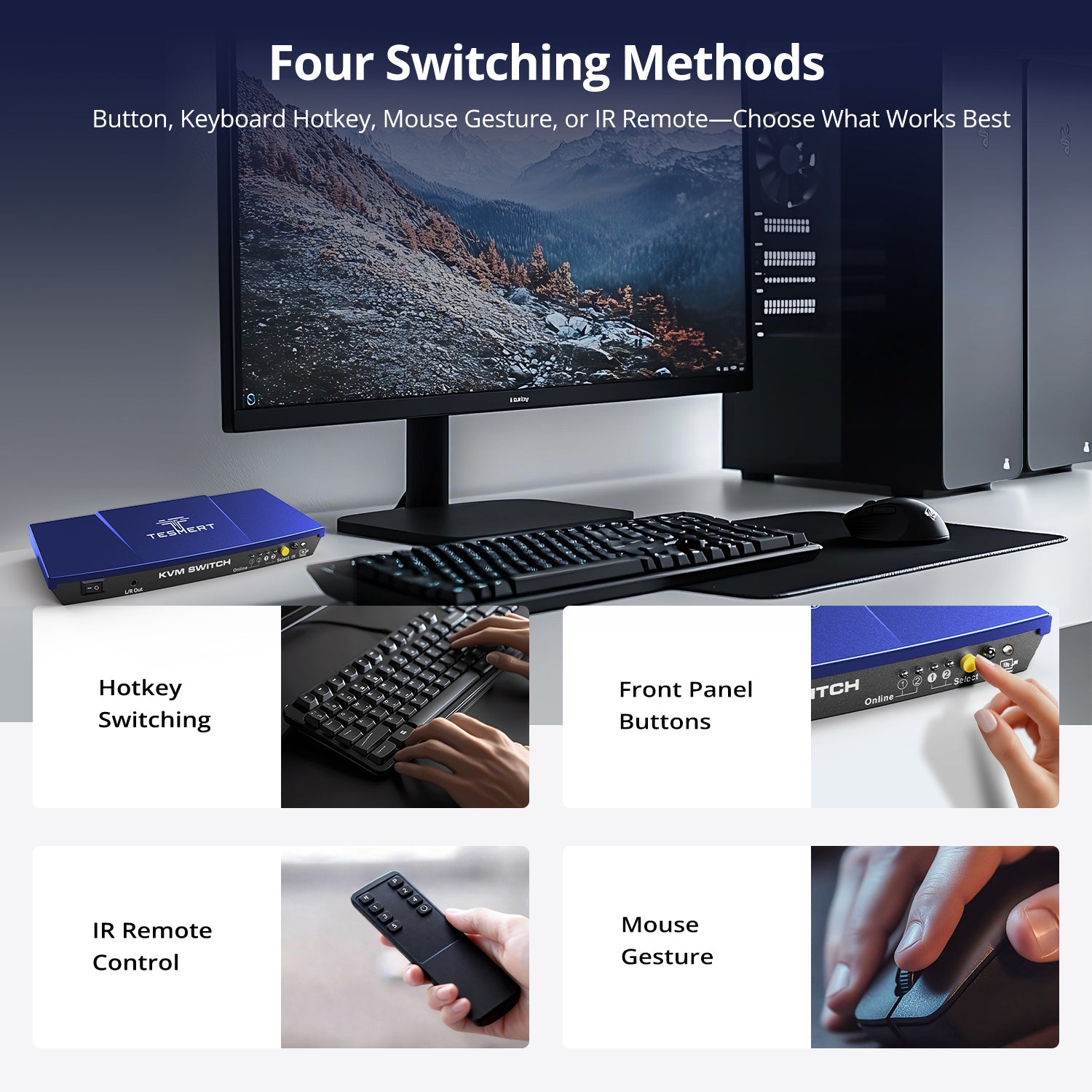
• Flexible Switching & Auto Scan: Switch using the front-panel button, included IR remote, keyboard hotkeys, or mouse-gesture control, with Auto Scan for automatic source cycling.
• Mouse Gesture Switching: Switch between computers directly with your mouse for faster, more intuitive multi-PC control without interrupting your workflow.
*Need a different power plug? Contact us.
Pairs well with
Free US Shipping! Ships within 3-7 business days.
30-Day Hassle-Free Returns & Purchase Guarantee
1-Year Warranty
Secure Payment
2-Port HDMI KVM Switch for 2 Computers & 1 Monitor
If you have any questions, you are always welcome to contact us. We'll get back to you as soon as possible, within 24 hours on weekdays.
-
Free US Shipping · Fast Delivery
Delivery typically arrives in 5–7 business days.
Details are available in our Shipping Policy. -
30-Day Returns · Quality Guaranteed
Returns are accepted within 30 days for peace of mind.
See our Returns & Warranty Policy for details. -
Secure & Trusted Payments
All transactions are protected with industry-standard security.
-
Customer Support
Questions about your order? Feel free to Contact Us.
Overview
Designed for everyday dual-computer workspaces, this 2-in-1-out HDMI KVM switch lets two HDMI computers share one monitor, keyboard, mouse, USB peripherals, and speaker output—all from a single workstation. Perfect for home offices, work-and-personal PC setups, and compact workspaces.
- Up to 4K@60Hz Resolution
Enjoy sharp text, clear images, and smooth performance for everyday work. From spreadsheets and web browsing to video meetings and daily tasks, T1210 delivers a reliable 4K viewing experience. - Share USB Devices & Audio
Keep your workspace organized by sharing USB peripherals and speaker output between two computers. Connect devices such as USB drives, printers, barcode scanners, and other USB accessories while reducing cable clutter. - 5 Ways to Switch
Switch computers the way you prefer using the front-panel button, keyboard hotkeys, mouse gestures, IR remote control, or Auto Scan mode—no software installation required. - Stable Display Settings
Built-in EDID emulation helps prevent monitor re-detection, resolution changes, and window rearrangement when switching between computers. - Enhanced Keyboard & Mouse Compatibility
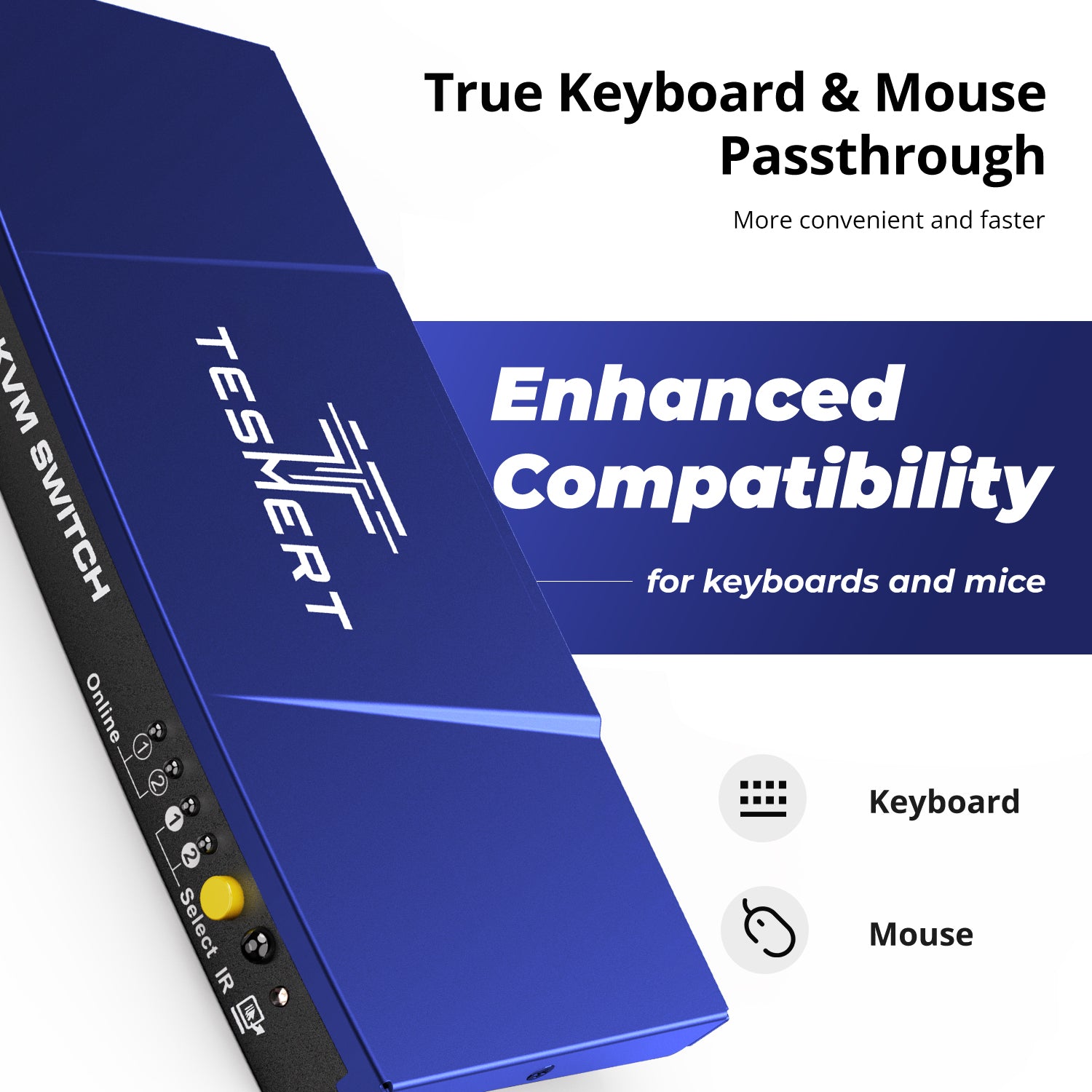
Keyboard and mouse pass-through technology supports a wider range of wired, wireless, gaming, and specialty input devices for a smoother switching experience.
Technical Details
Specifications
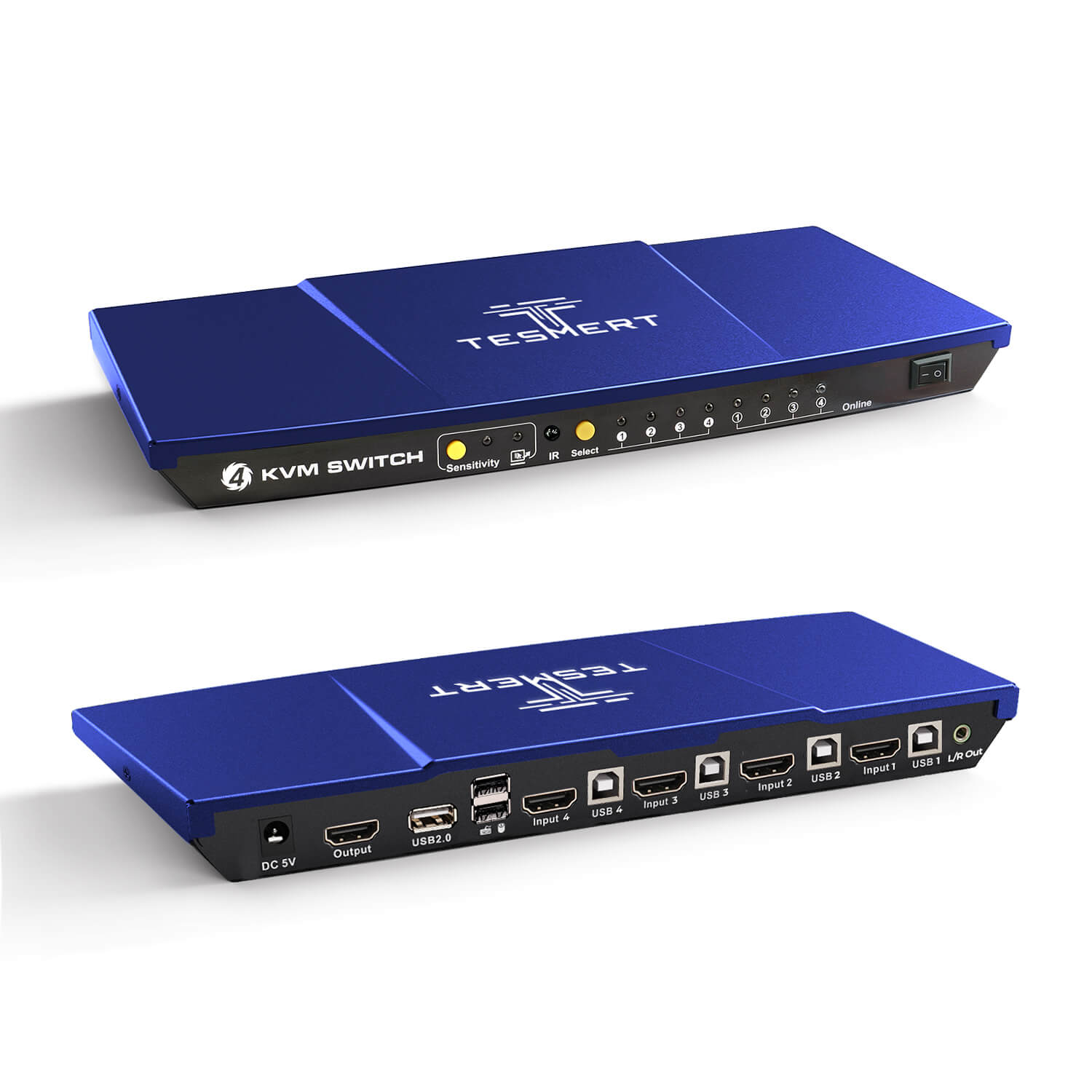
Connections
- Computer Inputs
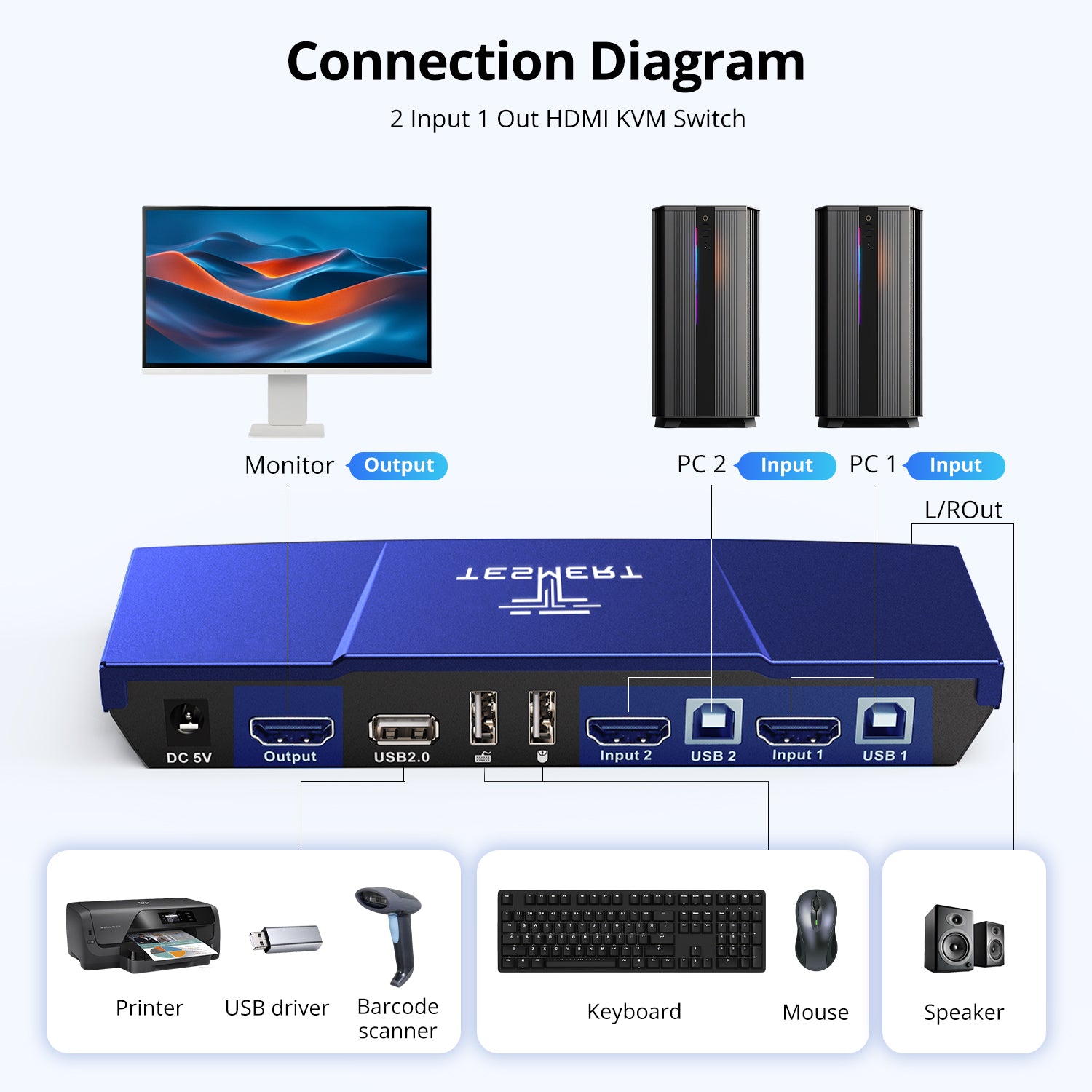
•2 × HDMI 2.0 + USB-B - Display Output
• 1 × HDMI 2.0 - Shared Connections
• 2 × Dedicated USB Ports for Keyboard and Mouse
• 1 × USB 2.0 Hub Port
• 1 × L/R Audio Output
Display Support
- 3840 × 2160 @ 60Hz
- 2560 × 1440 @ 120Hz
- 1920 × 1080 @ 240Hz
System Compatibility
Windows, macOS, Linux (including Ubuntu, Debian, and Fedora), Raspberry Pi OS.
Other Features
- Plug and Play
- Customizable Hotkeys
Physical Specifications
- Aluminum Alloy Top Cover + Steel Base
- Dimensions: 195 × 85 × 30 mm
- Weight: 250 g
Power
DC 5V Power Adapter
Notes
For the best compatiblity, it is better to turn on keyboard and mouse pass through mode. In this mode, the keyboard and mouse are dynamically mapped to computer, so you are able to use special keyboard and mouse that with multimedia keys or other customized keys.
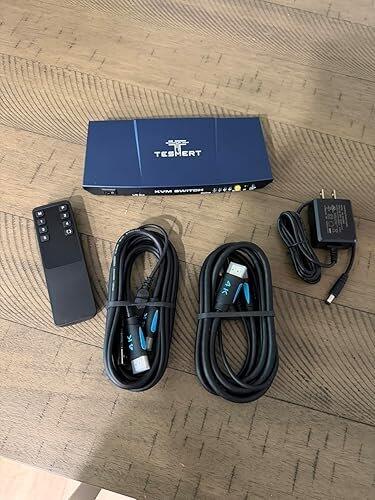
Included in the Box

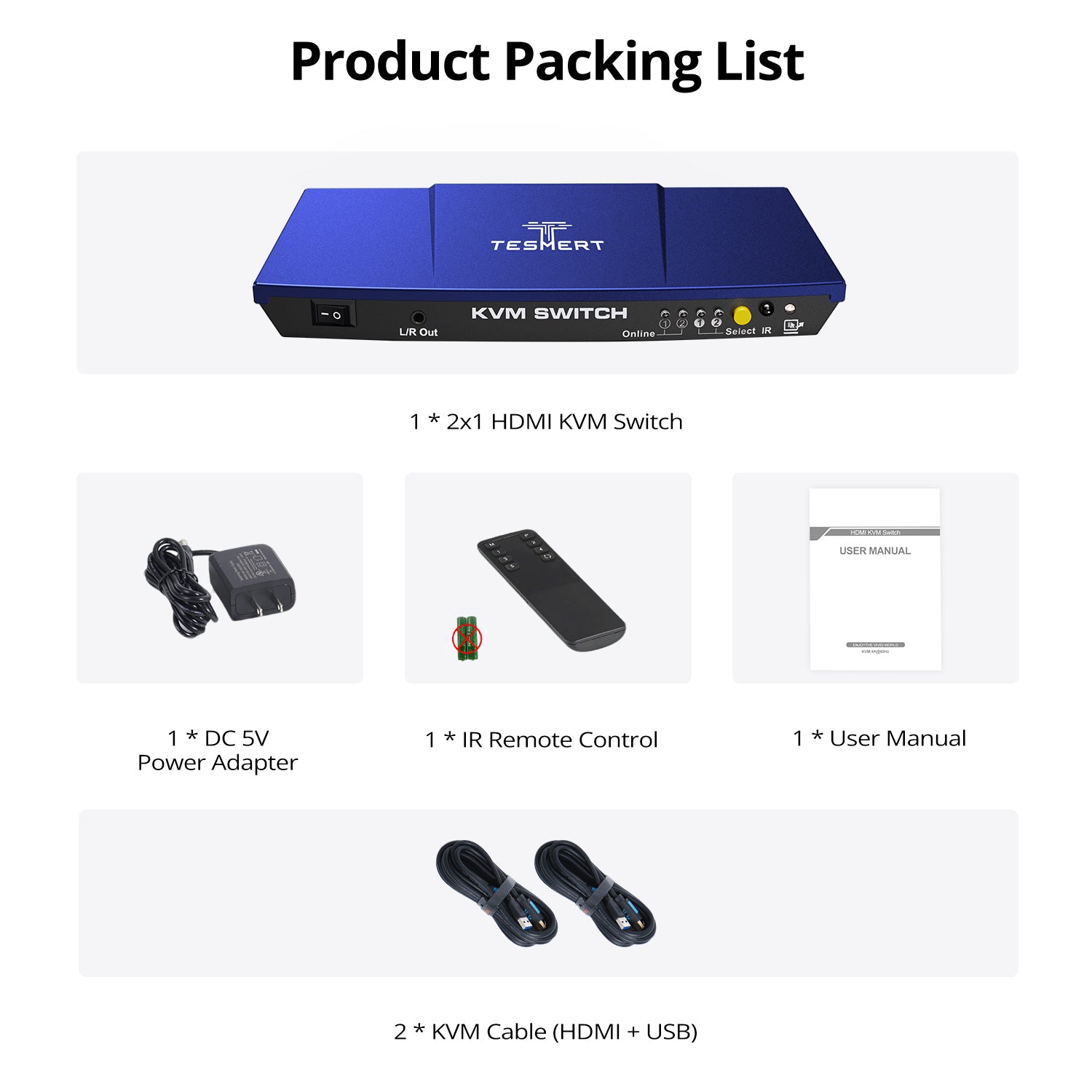
1 * T1210 HDMI KVM Switch

2 * HDMI + USB KVM Cables (1.5m)

IR Remote Control

DC 5V Power Adapter

User Manual


Product comparison
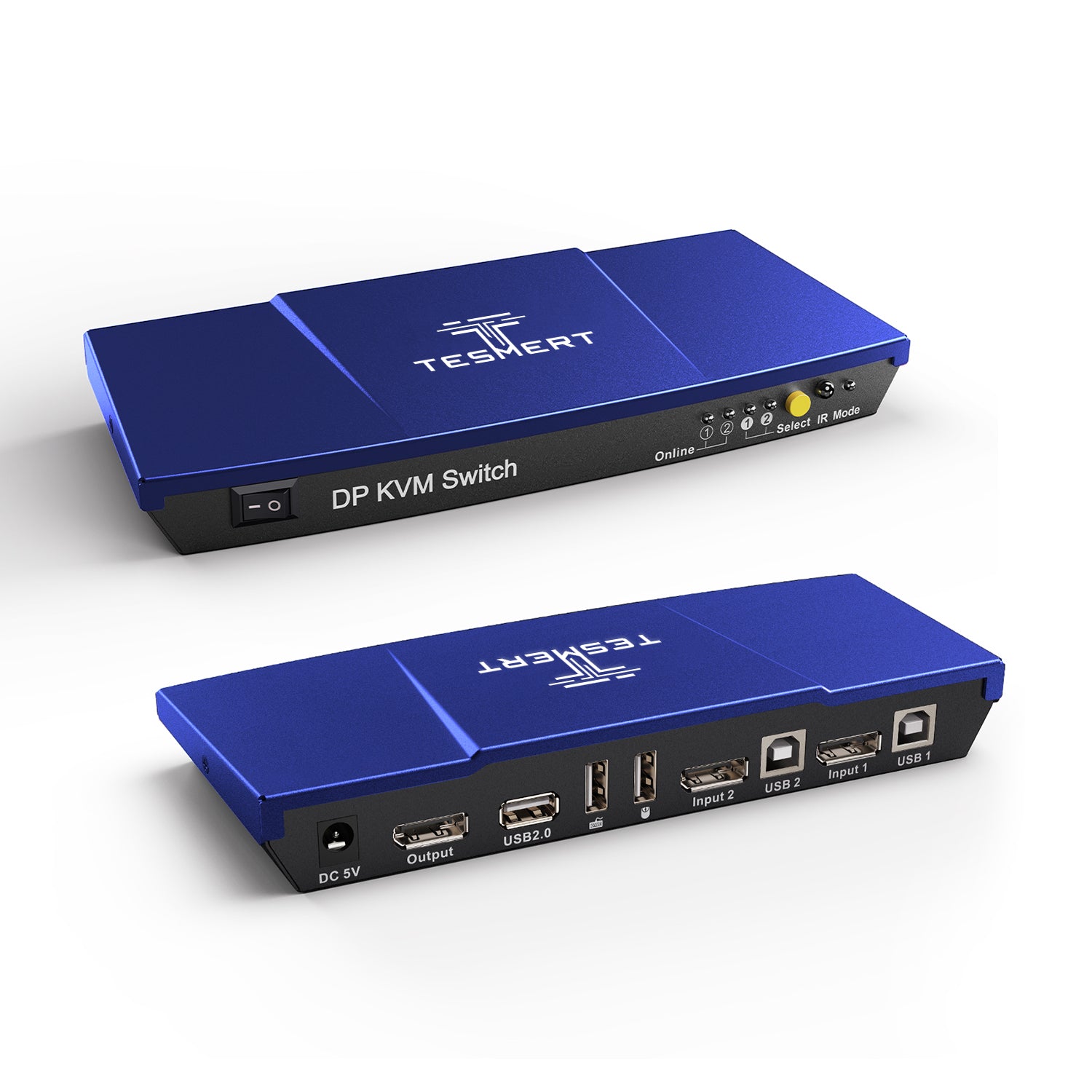
Amount of Computers
2
Amount of Computers
2
Amount of Computers
4
Amount of Monitors
1
Amount of Monitors
1
Amount of Monitors
1
Video Type
HDMI 2.0
Video Type
DisplayPort 1.2
Video Type
HDMI 2.0
Max Resolution
4K60Hz
Max Resolution
4K60Hz
Max Resolution
4K60Hz
EDID Emulation
YES
EDID Emulation
NO
EDID Emulation
YES
Special Features
USB-A 2.0 Sharing Port * 1
Hot Plug
Passthrough Mode
L/R Out
Special Features
USB-A 2.0 Sharing Port * 1
Hot Plug
Passthrough Mode
Special Features
USB-A 2.0 Sharing Port * 1
Hot Plug
Passthrough Mode
L/R Out
Customers praised this 2-port HDMI switch for exceptional 4K@60Hz performance and EDID emulation that prevents desktop rearrangement when switching. "Fast switching, stable video, USB devices reconnect instantly." Setup is straightforward with included cables. Multiple control options (hotkeys, remote, buttons) add convenience. One customer noted the remote battery compartment is slightly too short.
This KVM switch has been an absolute game changer for my setup. I use two computers with one monitor, keyboard, and mouse, and this made switching between them incredibly easy and seamless. I was hoping it would simplify my workspace, but it honestly works even better than I expected.
Setup was straightforward, and everything I needed was included right in the box, including the cables. Once connected, both computers recognized the devices quickly and the switch worked almost immediately without any complicated troubleshooting or configuration. The switching process is fast and smooth, whether using the hotkey function, the button, or the remote option.
The picture quality is excellent as well. The 4K at 60Hz support looks crisp and sharp, and I have not noticed any lag, flickering, or signal loss while using it. Video playback and general performance have been flawless, and it handles both work tasks and entertainment without any issues. I also appreciate that the audio output works reliably, which helps keep my desk setup clean and organized.
One of the biggest positives for me is how stable and dependable it has been in everyday use. Some KVM switches can be finicky or disconnect randomly, but this one has worked like a dream from day one. Keyboard and mouse responsiveness are instant, and switching between systems feels natural and effortless.
The build quality also feels solid and well made. It does not feel cheap or flimsy, and the overall design is compact enough to fit neatly into a desk setup without creating clutter.
If you are looking for a reliable KVM switch for sharing one monitor and peripherals between two computers, I would absolutely recommend this one. It delivers great performance, excellent picture quality, and makes multitasking between devices incredibly convenient.
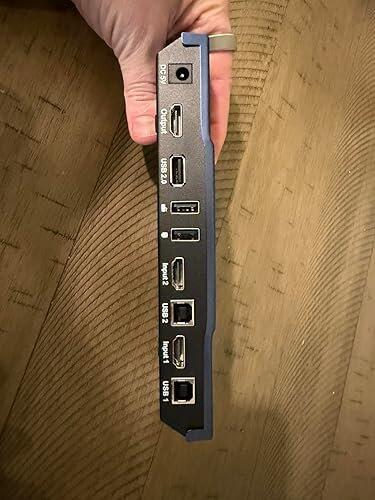
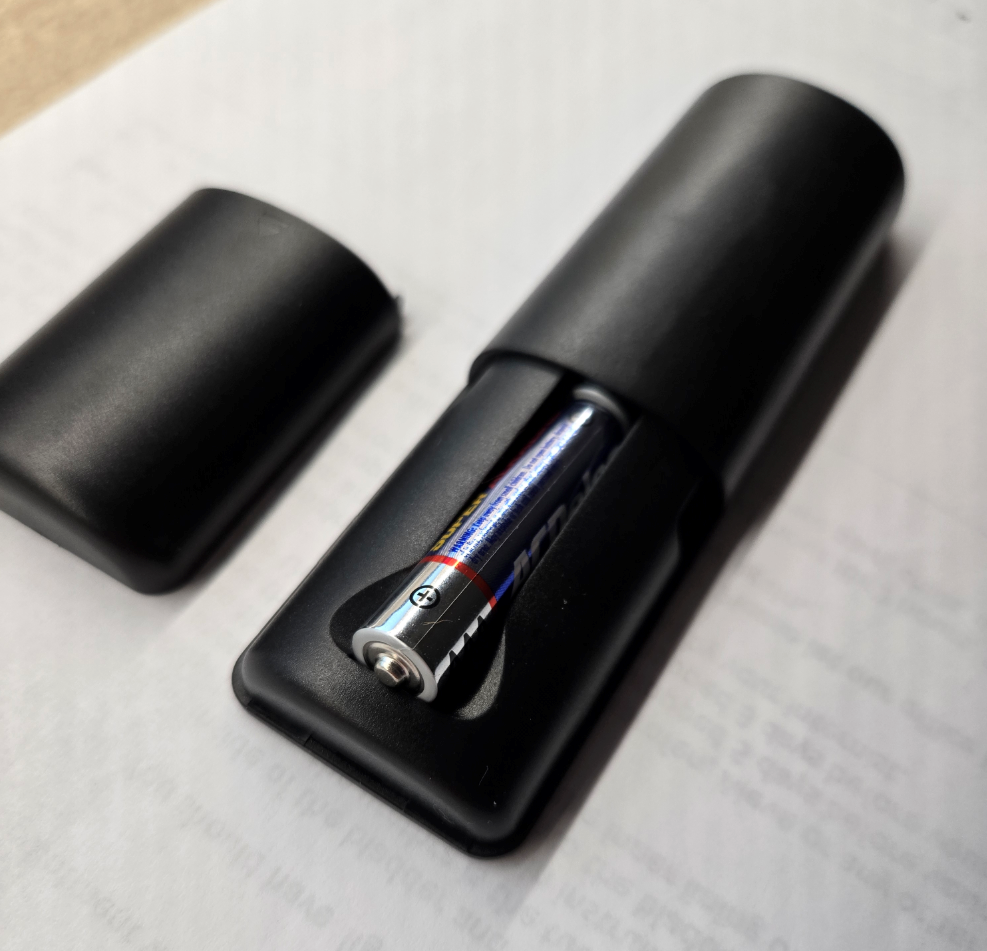
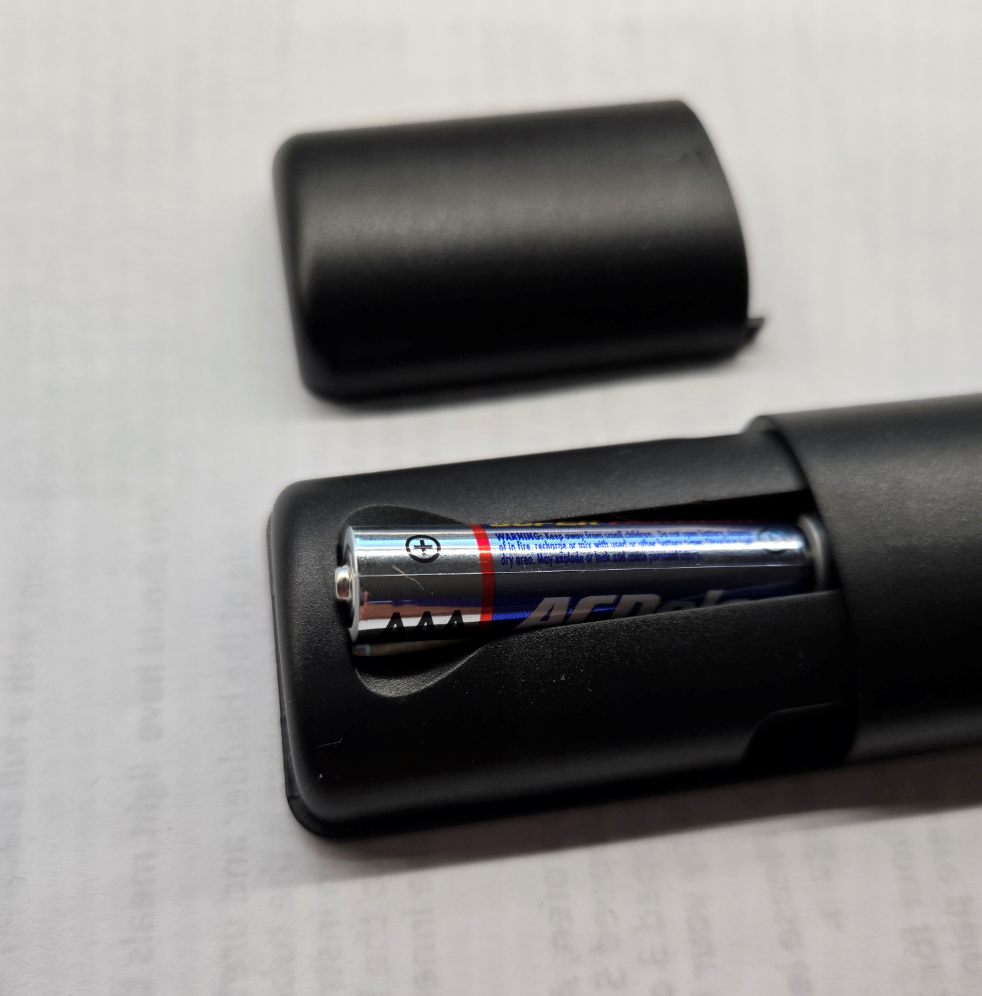
Very happy with my new Tesmert KVM. It works as it should. Easy to connect and get going. One issue I have is the RF remote. It won't accept the 2nd AAA battery. The slot for the batteries seems to be a few millimeters too short and I can't quite get them both in. The first battery goes in fine. But the 2nd battery doesn't quite fit.
This switch does the most important thing a switch should do; preserve your desktop settings and easily switch between systems.
I'm loving this switch. Here's what stands out to me:
✅ #1 Most important; this switch has EDID or desktop emulation which keeps your desktop arrangement live when jumping between systems.
✅ Has multiple switching methods. I prefer the button but having keyboard and remote options is also great.
✅ Transitions are fast and regardless of what switching method you use.
✅ The unit is very stable. It has weight to it and decent rubberized feet so it doesn't slide around. This is important when you have all these cables plugged into it trying to drag it out of position.
✅ I love that this has a usb2 port that also switches when swapping. I had to use this for my fancy keyboard and it's just as efficient as the dedicated keyboard usb ports.
✅ The whole setup worked perfect on my Linux, Win10, and Win11 machines.
✅ The switch was easy to setup
✅ I really like the unit is cable management friendly with its combined usb + HDMI cables. This helped me clean up a lot of my cables.
☑️ The power adapter isn't as slim-line as I would like. It has a fat profile that is good for direct wall outlets stacked vertically but this is a space hog on a horizontally oriented surge suppressor. Not a huge deal but I wish it was taller and narrow.
I'm really loving this switch so far but if there are any changes in my opinion or its quality, I'll be sure to report back in. 🤞 I hope you found my notes, pictures and video useful. Be well! ❤️🔥
I have been looking for an HDMI based KVM solution for a little while. The issue I encountered with a few KVM switches that I tested was that they could not support 1440p, specifically 3440x1440p. This seems strange since 3440x1440 is a popular business resolution. I can say that this KVM switch does support 1440p. When this switch is connected, my monitor is running 3440x1440p.
I also noticed that the computers actually see the monitor directly. Other KVM switches modify the signal, so that the computer shows that it is connected to the switch. When switching via the hotkey, the computers maintain the screen position of the apps. With other KVM switches, connected laptops will revert to the laptop display, which causes a resizing when the KVM is switched. That doesn't happen with this KVM, the apps remain perfectly in their original positions. When you switch away from a system, the KVM switch maintains the connection. I am very happy with that.
Mouse and keyboard response is good. I did have an issue with an older Logitech mouse dongle on a laptop connecting via an Anker USB hub, but I believe the problem is with the hub more so than the KVM switch. Everything else works good. Hot switching is seamless. I do wish that they offered more hotkey choices than either the right CTRL key or Scroll Lock, but that is minor. I didn't use the IR remote, so I cannot comment on that. And the switch does have a manual selector on the front which is easy to use.
The supplied cables are industry standard. I will guess that you could use other high quality cables if the supplied ones are not long enough.
Lastly, the KVM switch is powered by a 5 volt brick. I am surprised that they didn't just use a USB-C style connection, as the industry is going in that direction. The power brick they supply with the switch works well and it is UL tested, which is very important. Anything connected to a 120v outlet should be NRTL certified.
Overall, I am very happy with this switch. I cannot think of a downside.
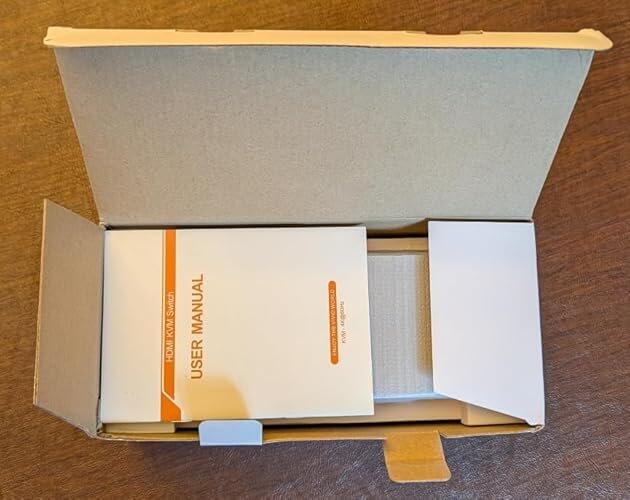
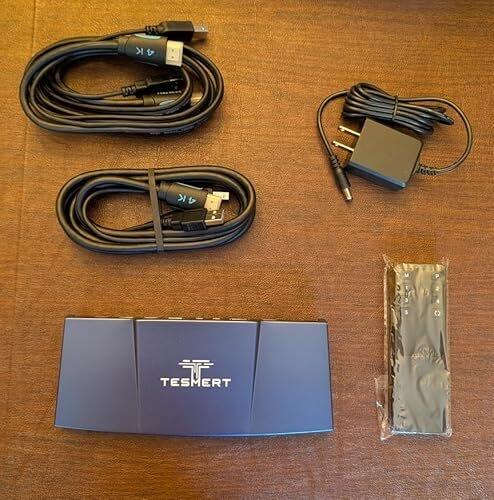
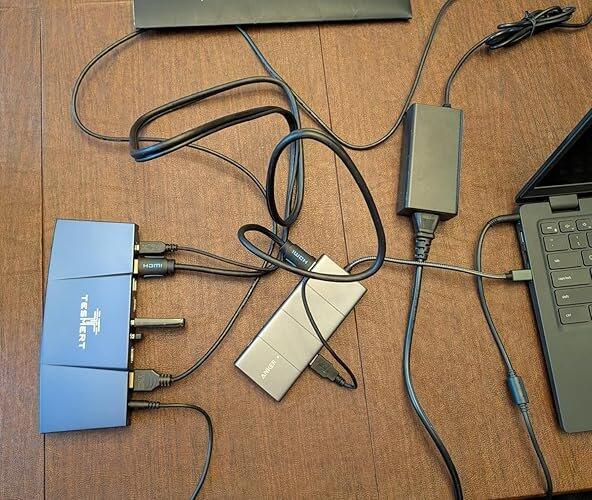
I've used KVM switches that cost nearly twice as much, and this one holds its own. Video is stable at 4K, switching is fast, and USB devices reconnect almost instantly. For around sixty bucks, I honestly don't think there's a better option for a dual-PC setup.
Exactly what I needed. One keyboard, one mouse, one monitor, and everything just works. The hotkeys are quick, the remote is convenient, and the whole setup feels much cleaner now. If you're tired of cable swapping, this is absolutely worth buying.
One thing I didn't realize I'd appreciate so much is the EDID support. My monitor no longer keeps changing resolution or moving windows around every time I switch computers. It's a small detail that makes using two PCs all day much less frustrating. Great product.
I wasn't expecting much from a KVM in this price range, but this one really impressed me. The build feels solid, setup was straightforward, and switching is smooth every single time. I've had zero flickering or weird display issues. It honestly performs like a much more expensive unit.
I use one PC for work and another for personal stuff, and this has made switching between them effortless. No more unplugging cables or changing monitor inputs every time. Everything switches over in just a few seconds, and my monitor comes back exactly as it should. Easily worth every penny.
This HDMI KVM switch is a practical solution for anyone trying to manage two computers from one desk setup without constantly swapping cables. For home offices, hybrid workstations, or users balancing a personal and work computer, it offers a clean way to share one monitor, keyboard, and mouse while keeping the workspace more organized and efficient.
The feature set is what makes this one stand out. Support for 4K at 60Hz, HDR10, and Dolby Vision gives it the potential to handle both productivity and higher-quality visual output better than basic KVM switches. EDID emulation is an especially useful addition because it helps prevent the annoying screen resizing and icon rearranging that can happen when switching between machines. Multiple switching methods, including hotkeys, front buttons, mouse gestures, and IR remote control, add flexibility depending on how the setup is used. The extra USB connectivity and L/R audio output also make it more versatile for users who want to connect peripherals beyond just a keyboard and mouse.
This KVM overall works very well and meets all the specifications
displayed on the listing. Its great for being able to switch between
setups as any good KVM switch should be, and the unit itself has a nice aluminum shell. The included cables are also quite nice and work well.
As listed in the product description, it has EDID emulation, this is
easily its best feature and allows it to "trick" the computer into
thinking a monitor is still connected when the input isn't active. This
lets it maintain the arrangement of windows when inputs are switched among various other issues that can arise when a computer thinks the input is removed, something that is quite a pain to deal with otherwise.
I found it to functionally work exactly as it should, inputs swapped
quickly and without issue, all inputs & outputs worked, and I could not notice any kind of delay in my usage with it.
excellent product. easy to set up and use. the provided cables eliminated the need for anything else being required. the remote switching and hotkey switching make for added convenience.
Really happy with this TESMERT T1210 KVM switch. Setup was super easy and it works perfectly with no lag.
I love that I can use one keyboard and mouse for two devices — it makes my desk much cleaner and more organized. Switching between devices is quick and smooth.
TESMERT seems like a new brand, but the quality feels solid and reliable. Definitely a great purchase!
Great value for the price. Honestly wasn’t expecting this level of quality at such a low price point, but it really impressed me.
TESMERT might be a newer brand, but this definitely changed my perception — feels reliable and well-made. Would buy from them again.
Really impressed with this TESMERT T1210 KVM switch. Setup was super easy and it worked right out of the box with no issues.
Love the design — the navy blue color and the ship-like shape actually make it look pretty cool on my desk instead of just blending in.
It supports 4K@60Hz and the image looks sharp and clear. Switching between devices is quick, and the keyboard hotkey feature makes it really convenient.
Big plus for helping clean up my setup too — only need one keyboard and mouse for two devices now. Overall, feels like a solid, reliable product. Definitely recommend.
Will switching between computers move my windows or reset my display settings?
No. The T1210 features built-in EDID emulation, which helps each computer maintain a stable connection to your monitor even when it's not the active source. This minimizes monitor re-detection, resolution changes, and window rearrangement, so you can switch back and continue working without resetting your desktop.
Will this work with my laptop and desktop computer?
Yes. T1210 works with desktops, laptops, mini PCs, and other HDMI-equipped computers. Each computer requires an HDMI connection for video and a USB connection for keyboard, mouse, and shared USB functionality.
If you're using a USB-C laptop, simply connect it through a compatible USB-C-to-HDMI adapter or docking station that supports video output.
T1210 supports Windows, macOS, Linux, ChromeOS, and other operating systems without requiring additional drivers.
How fast is switching between computers?
Switching usually takes just a few seconds. During the process, the monitor quickly syncs to the selected computer, while the keyboard and mouse remain connected and continue working seamlessly, allowing you to move between systems with minimal interruption.
Actual switching time may vary depending on your monitor, graphics hardware, and display settings.
Which USB devices can I share through the KVM?
T1210 is designed for sharing everyday USB peripherals, including keyboards, mice, wireless receivers, USB flash drives, printers, and USB audio devices.
The built-in L/R audio output also lets you share external speakers between both computers without reconnecting cables.
For high-bandwidth devices such as external SSDs or capture cards, we recommend connecting them directly to your computer for the best performance.
What's the easiest way to switch between computers?
T1210 offers five convenient switching methods:
- Front-panel button
- Keyboard hotkeys
- Mouse gesture
- IR remote control
- Auto Scan mode.
This gives you the flexibility to switch in the way that best fits your workspace and workflow.
Is this a KVM switch or just an HDMI switch?
Unlike a standard HDMI switch that only changes the video source, the T1210 switches your monitor, keyboard, mouse, and shared USB devices together. That means you can control two computers from one complete workstation without unplugging cables or reconnecting peripherals.
What cables and accessories are included in the box?
The package includes everything needed for a typical two-hdmi-computer setup:
- T1210 HDMI KVM Switch
- 2 × KVM cables (HDMI + USB-A to USB-B)
- IR remote control
- DC 5V Power adapter
- User manual
For a standard two-HDMI-computer setup, the included HDMI and USB cables are sufficient to connect your computers to the KVM switch. Please note that the HDMI cable connecting the KVM switch to your monitor is not included, as most monitors already come with their own display cable. Simply connect your devices and start using your setup.